The Ask AI LeadConnector Chrome Extension allows Ask AI to open webpages, click, type, scroll, and complete supported browser tasks for you.
You can install it by entering a browser-based request in Ask AI and selecting Install when prompted, or by opening the link directly: LeadConnector – Ask AI listing in the Chrome Web Store (https://chromewebstore.google.com/detail/leadconnector-ask-ai/idbhohjlbibgnelhchaakcpdjkodggpl).
How to Install the Ask AI LeadConnector Chrome Extension
You can install the AI LeadConnector directly from this link: LeadConnector – Ask AI listing in the Chrome Web Store or by following the steps below.
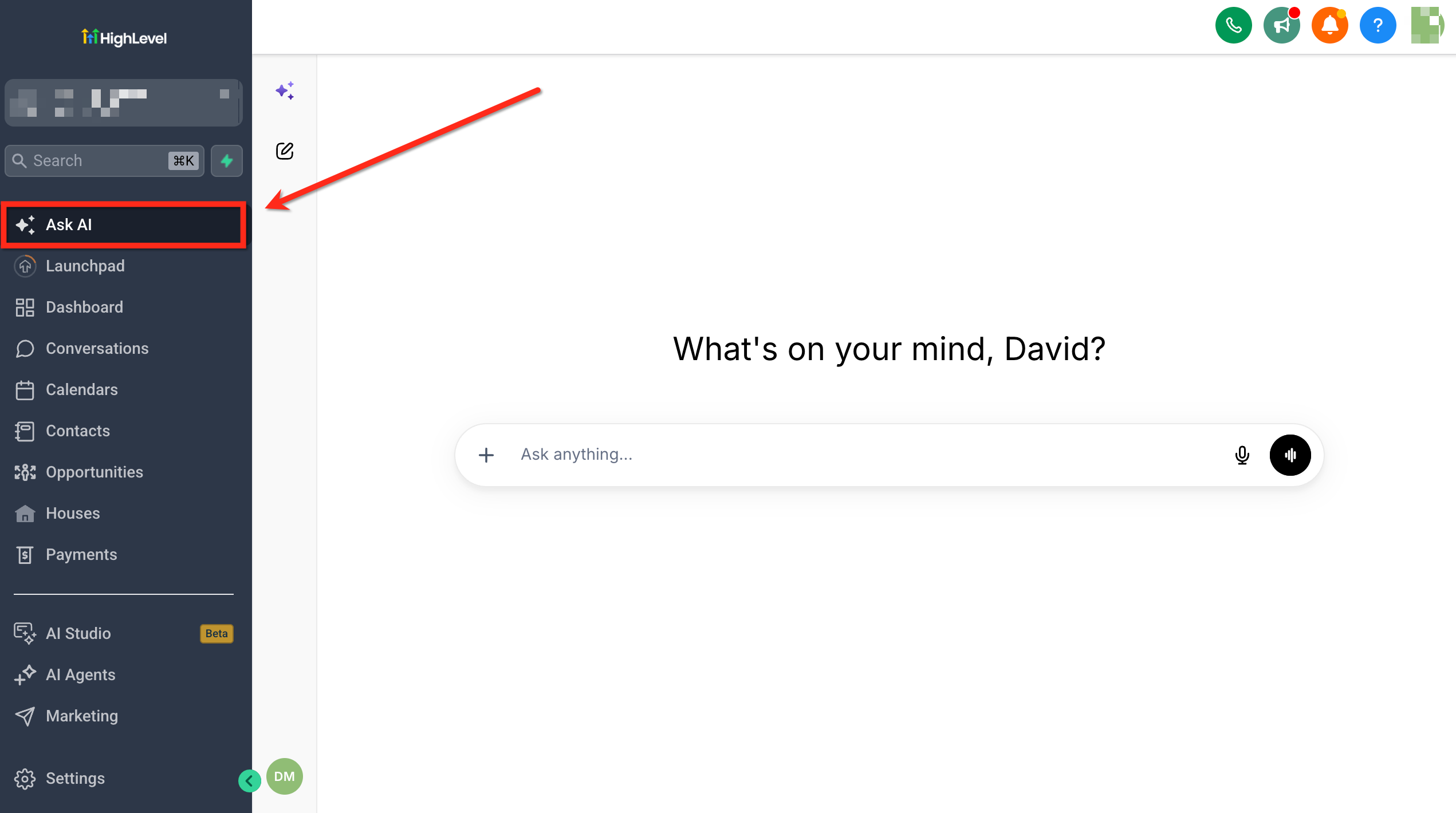
- Navigate to Ask AI from the left menu.
- Enter a request that requires browser interaction.
Example: "Open Google Docs and create an event landing page outline."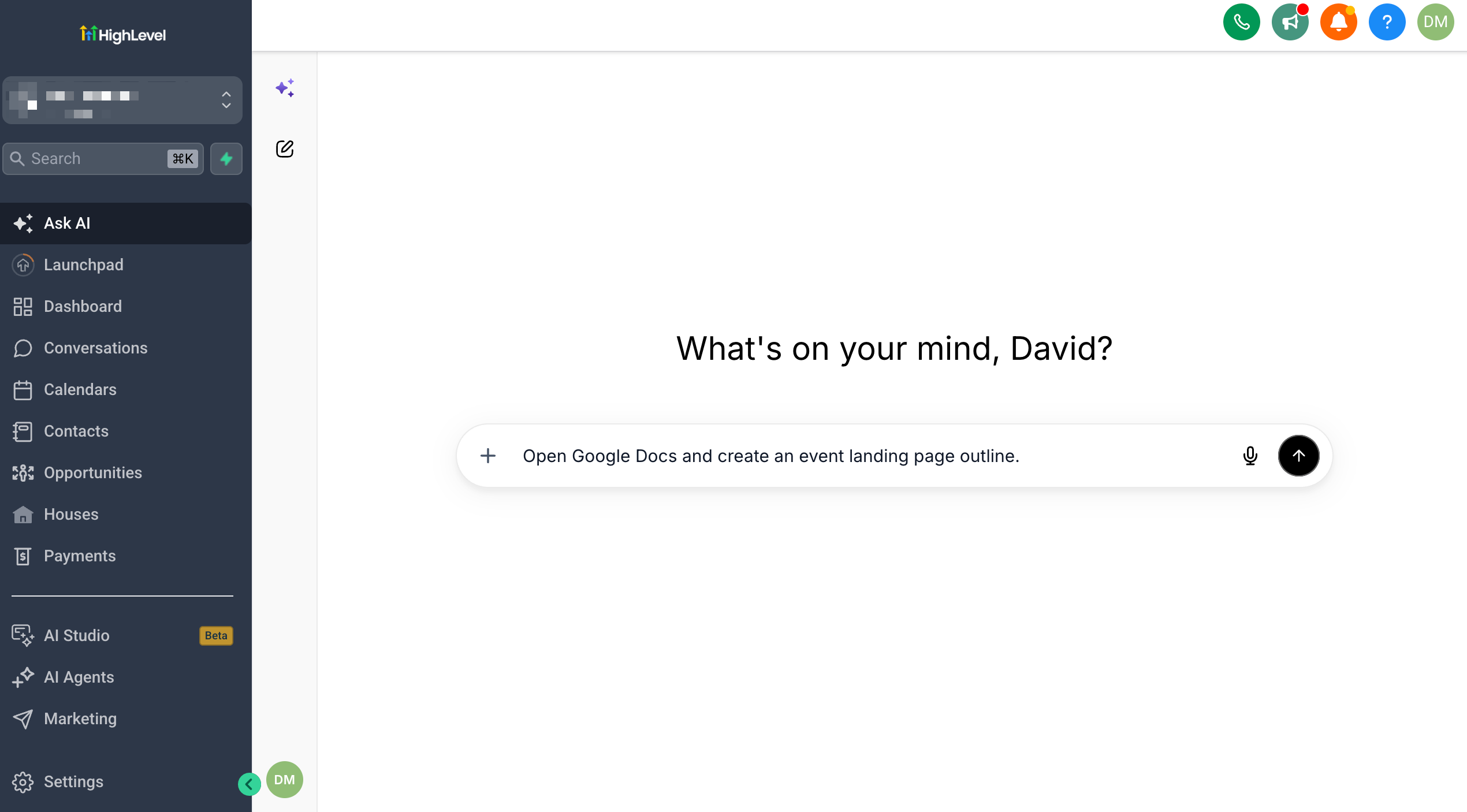
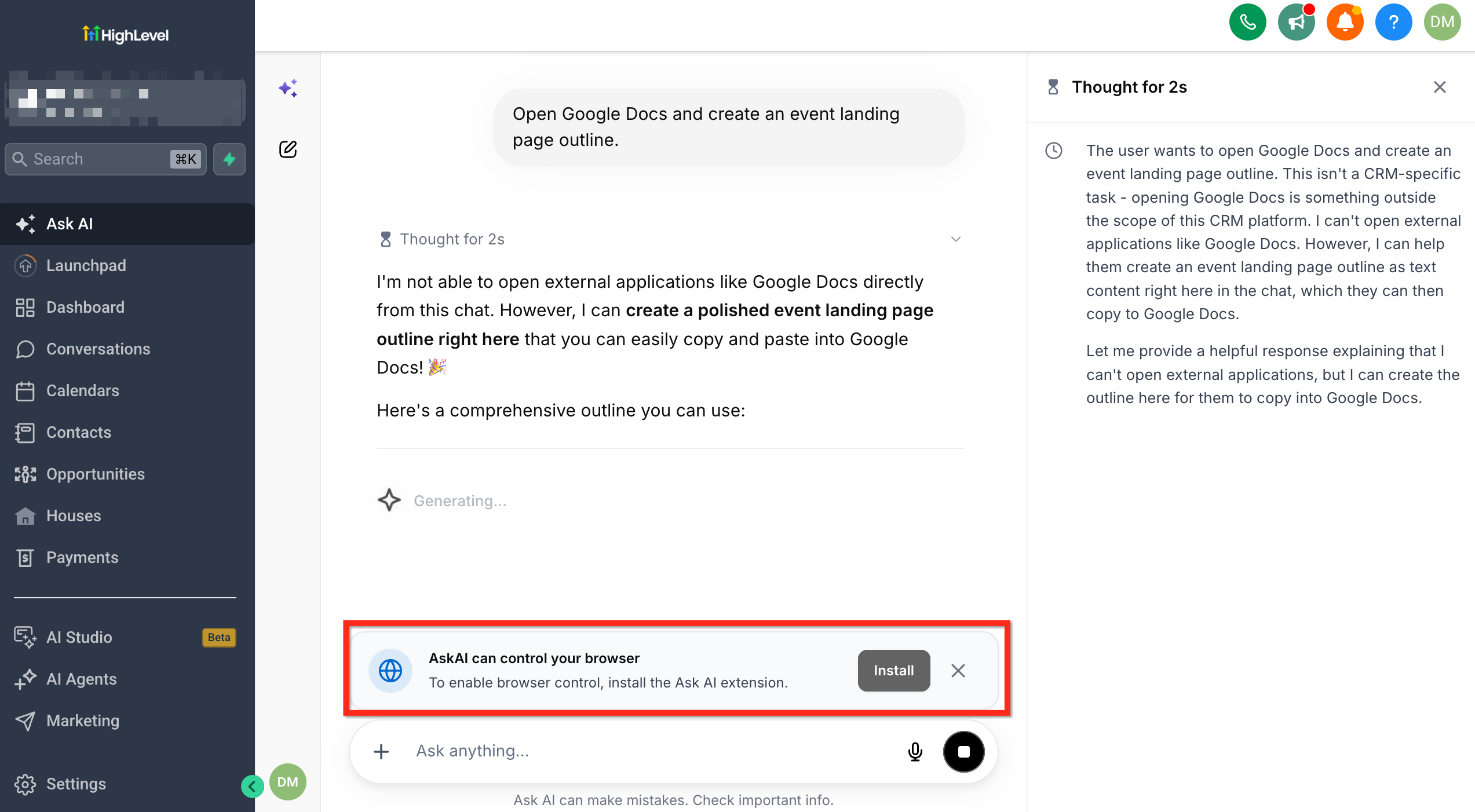
- Select Install when Ask AI prompts you to install the browser extension. You will be redirected to the LeadConnector – Ask AI listing in the Chrome Web Store.
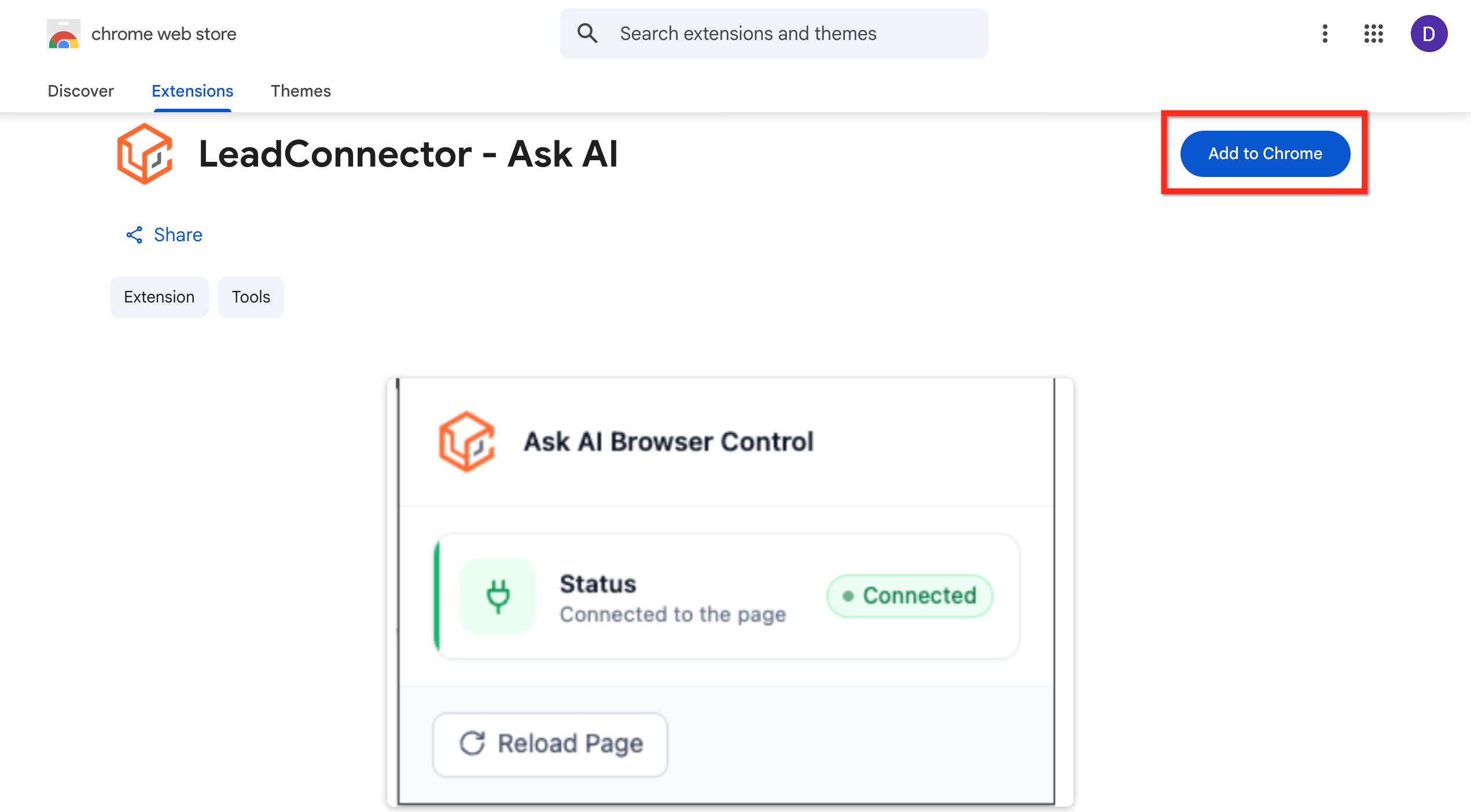
- On the Chrome Web Store page, select Add to Chrome.
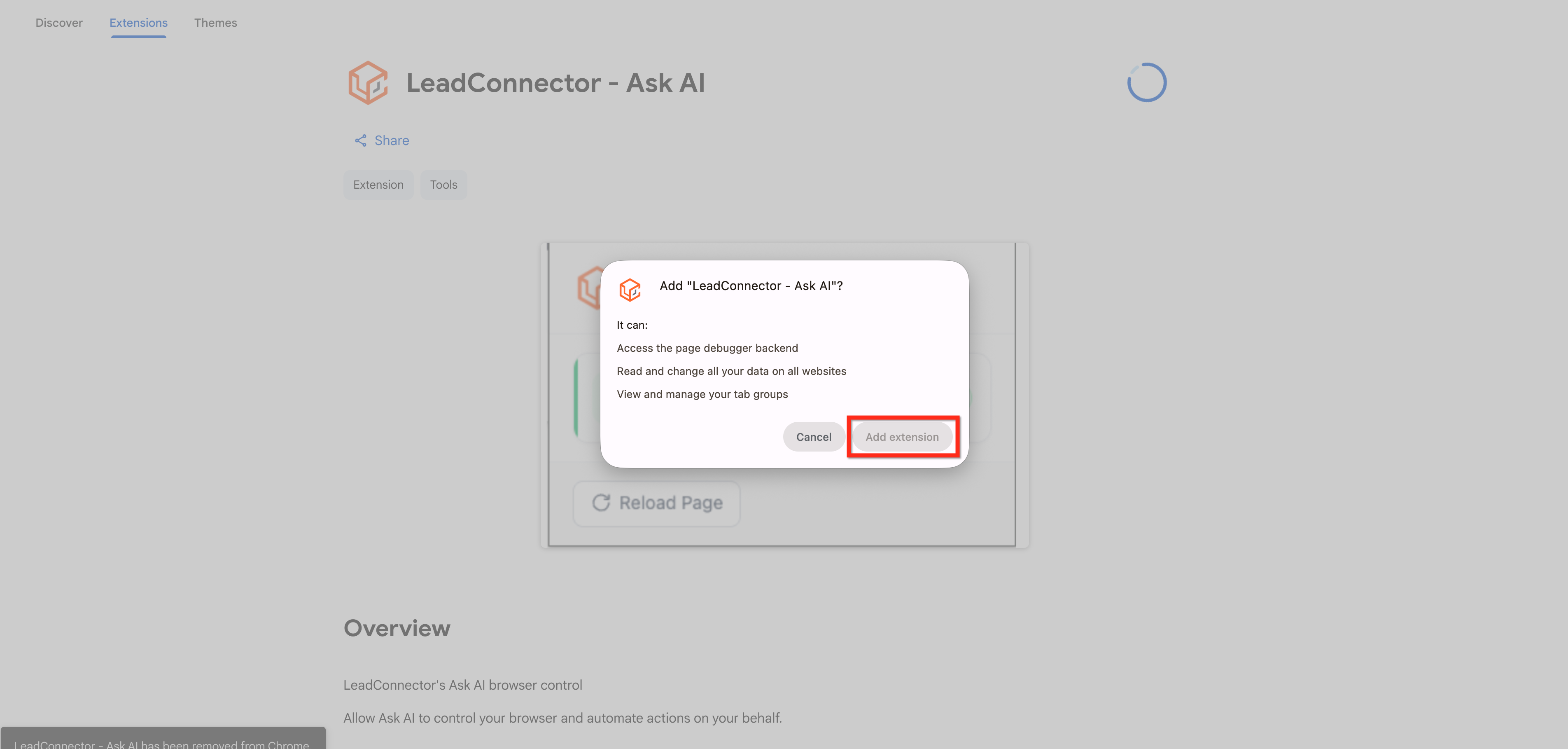
- Review the extension permissions, then select Add extension.
Was this article helpful?
That’s Great!
Thank you for your feedback
Sorry! We couldn't be helpful
Thank you for your feedback
Feedback sent
We appreciate your effort and will try to fix the article