Agency Settings
Hiding the SMTP Setup Help Doc Link
A short custom CSS snippet to remove the SMTP setup help doc link from your clients' view.
Overview
This article is a brief guide on how to hide the SMTP setup help doc link using a custom CSS snippet in your agency settings.
Table of Contents
1
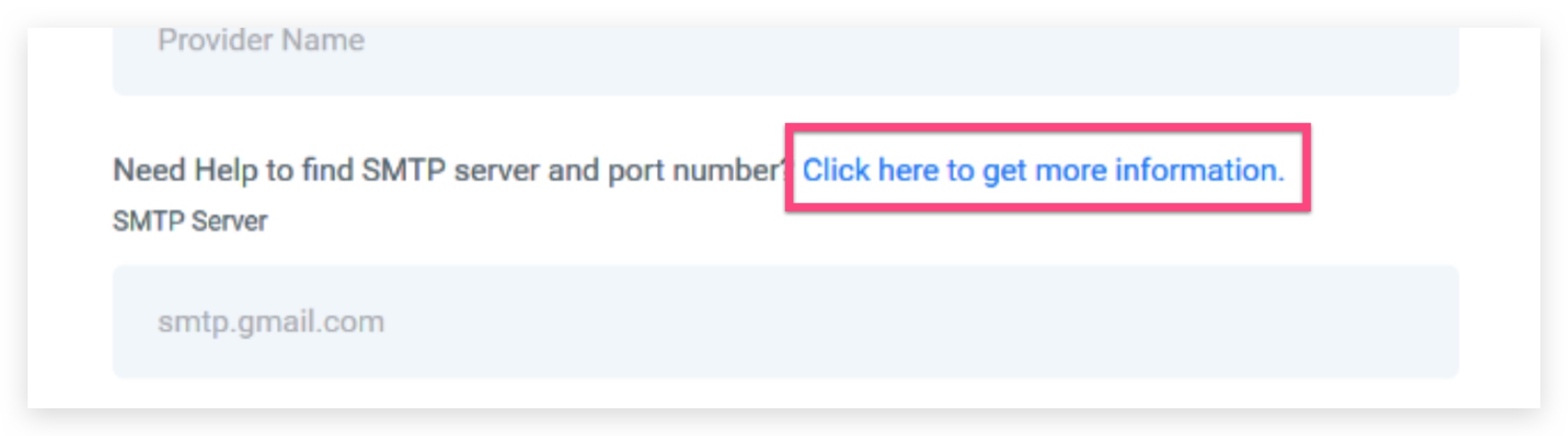
What this link looks like
If you don't want your clients to see the SMTP setup help doc link shown below, follow the steps in the next section to hide it.
2
Hide it with a custom CSS snippet
Step 1
Open Agency Settings
Log into your account and go to Settings → Agency Settings, then scroll down to the Custom CSS field.
Step 2
Paste the following code
.hl__smtp-help-doc {
  display: none;
}
Step 3
Save your changes
Save the Custom CSS field. The SMTP setup help doc link will now be hidden from view.
Good to Know
If you decide to show the SMTP setup help doc link again later, simply remove this code from the Custom CSS field.
3
Frequently Asked Questions
Related Articles
Was this article helpful?
That’s Great!
Thank you for your feedback
Sorry! We couldn't be helpful
Thank you for your feedback
Feedback sent
We appreciate your effort and will try to fix the article