Wallet Pricing Page
The Wallet Pricing page provides a single source of truth for pay-as-you-go rates across all wallet-billed products including AI, Communication, WhatsApp, Domain, and more. This feature is part of HighLevel's Billing Transparency initiative.
This article explains what the Wallet Pricing page includes, how to access it, and how to use it to understand product costs across different markets.
The Wallet Pricing page must be enabled from Labs before it becomes available in your Billing settings. Navigate to Settings → Labs, locate the Wallet Pricing feature, and enable it to begin using this functionality.
What is the Wallet Pricing Page?
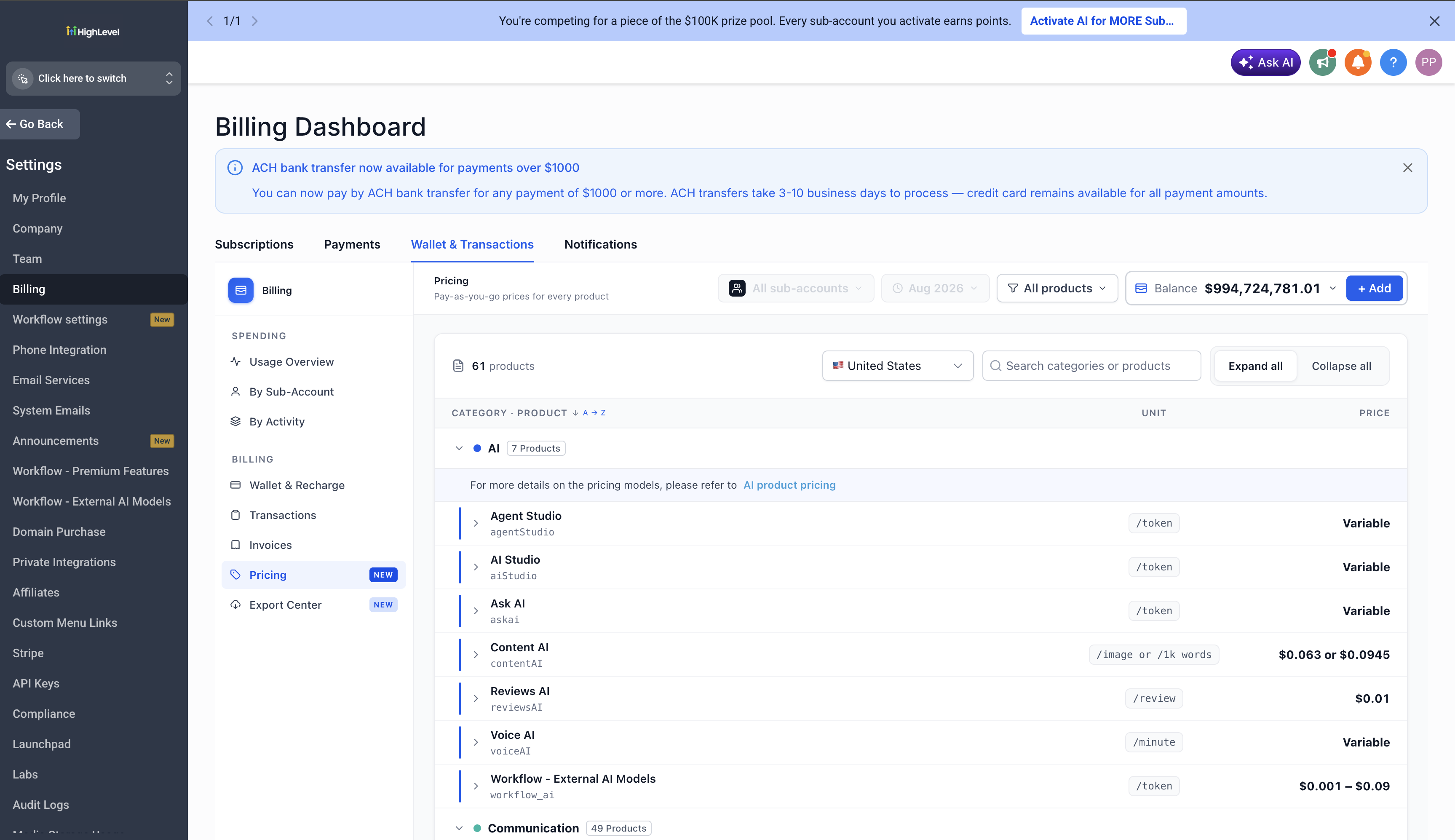
The Wallet Pricing page is a dedicated pricing reference inside the Billing section that displays pay-as-you-go rates for every product that uses wallet billing. This includes products across multiple categories such as AI, Communication, WhatsApp, Domain, and more.
Prior to this feature, agencies needed to search across multiple pages or contact support to understand product costs. The Wallet Pricing page consolidates all pricing information into a single, searchable view with organized categories, making it easy to find rates and understand what you're being charged for.
This is phase one of HighLevel's Billing Transparency initiative, designed to eliminate confusion around wallet charges and provide agencies with a clear reference for reconciling invoices, planning pricing strategies, and explaining costs to clients.
Key Features
The Wallet Pricing page includes several capabilities designed to help you quickly locate and understand product costs:
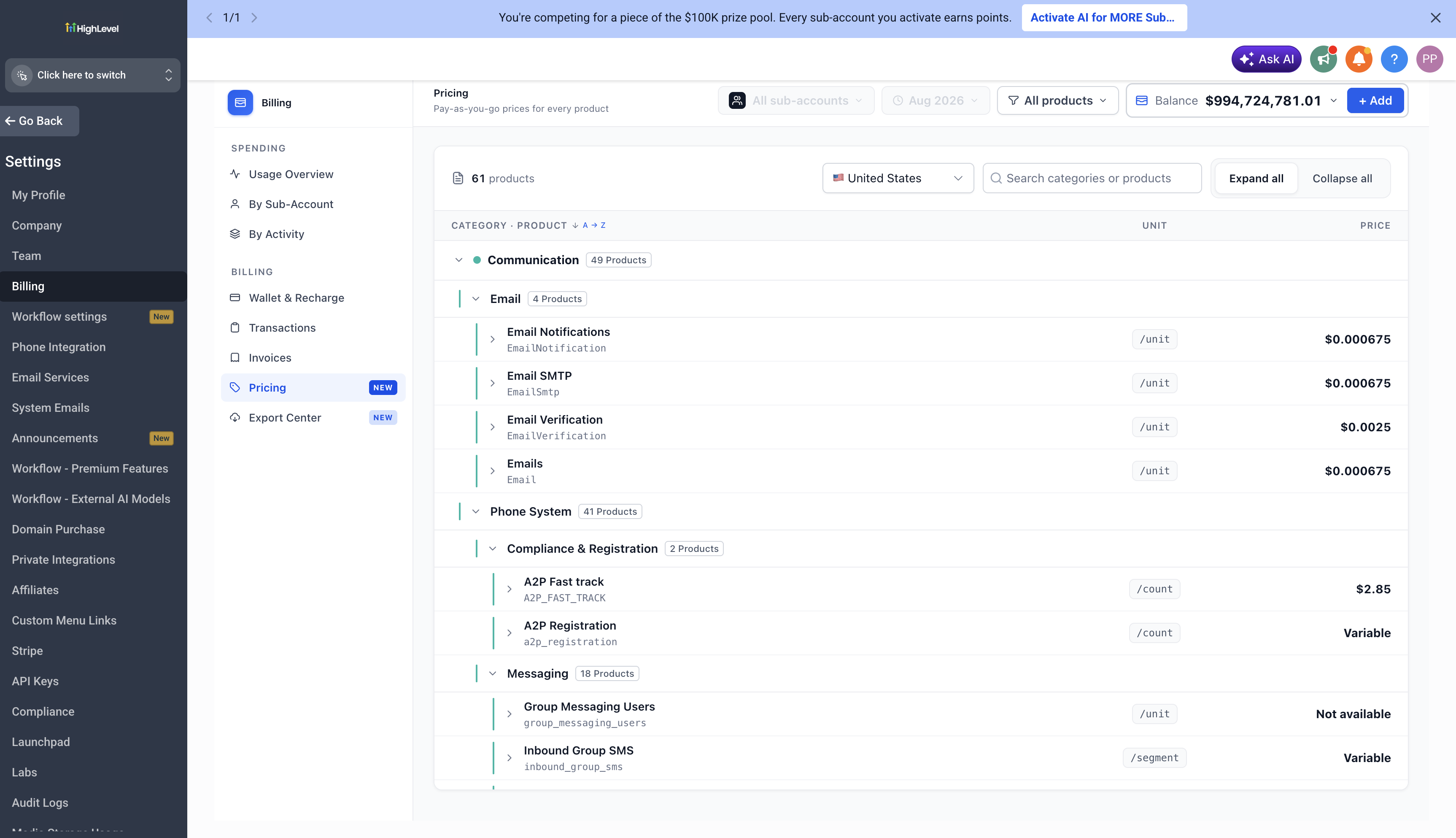
Every wallet-billed product is listed with unit costs, grouped by category and sub-category. This makes it easy to scan what you're being charged for without searching across multiple pages. All rates are kept up to date automatically.
Use the search bar to find products by category or product name instantly. You can expand or collapse categories to focus on the section that matters to you, making navigation faster when you need to reference a specific product.
Switch between 27 supported countries to see localized pricing. Products like WhatsApp messages and calls display country-specific rates so you always know what applies to your market. Additional countries will be added over time.
Expand any product row to see a full breakdown including category, SKU, description, pricing, billing unit, and country rates. This gives you everything you need to understand exactly how a product is billed without leaving the page.
Enterprise product pricing is covered alongside standard rates. Agencies on enterprise plans have full visibility into what applies to them, ensuring consistent pricing transparency across all account types.
Why This Matters
Wallet billing has traditionally lacked a centralized reference for product costs. Agencies were charged for products without an easy way to verify rates, leading to confusion when reconciling invoices or explaining charges to clients.
The Wallet Pricing page eliminates this issue by providing a single source of truth for every wallet product rate. Whether you're reconciling an invoice, planning your pricing strategy, or explaining costs to a client, you have immediate access to accurate, up-to-date pricing information.
This is the foundation of HighLevel's Billing Transparency initiative. Future phases will include sub-account pricing with markup controls and a pricing calculator to further enhance billing visibility and control.
How to Access and Use the Wallet Pricing Page
Follow these steps to enable and begin using the Wallet Pricing page:
Navigate to Settings → Labs in your HighLevel account. Locate the Wallet Pricing feature and enable it. This will activate the Pricing page in your Billing section.
Go to Billing in the main navigation. Under Wallet and Transactions, you will see the new Pricing page. Click to open it.
Products are organized by category and sub-category. Expand or collapse categories to focus on specific product areas. All products within a category display their unit costs and billing units.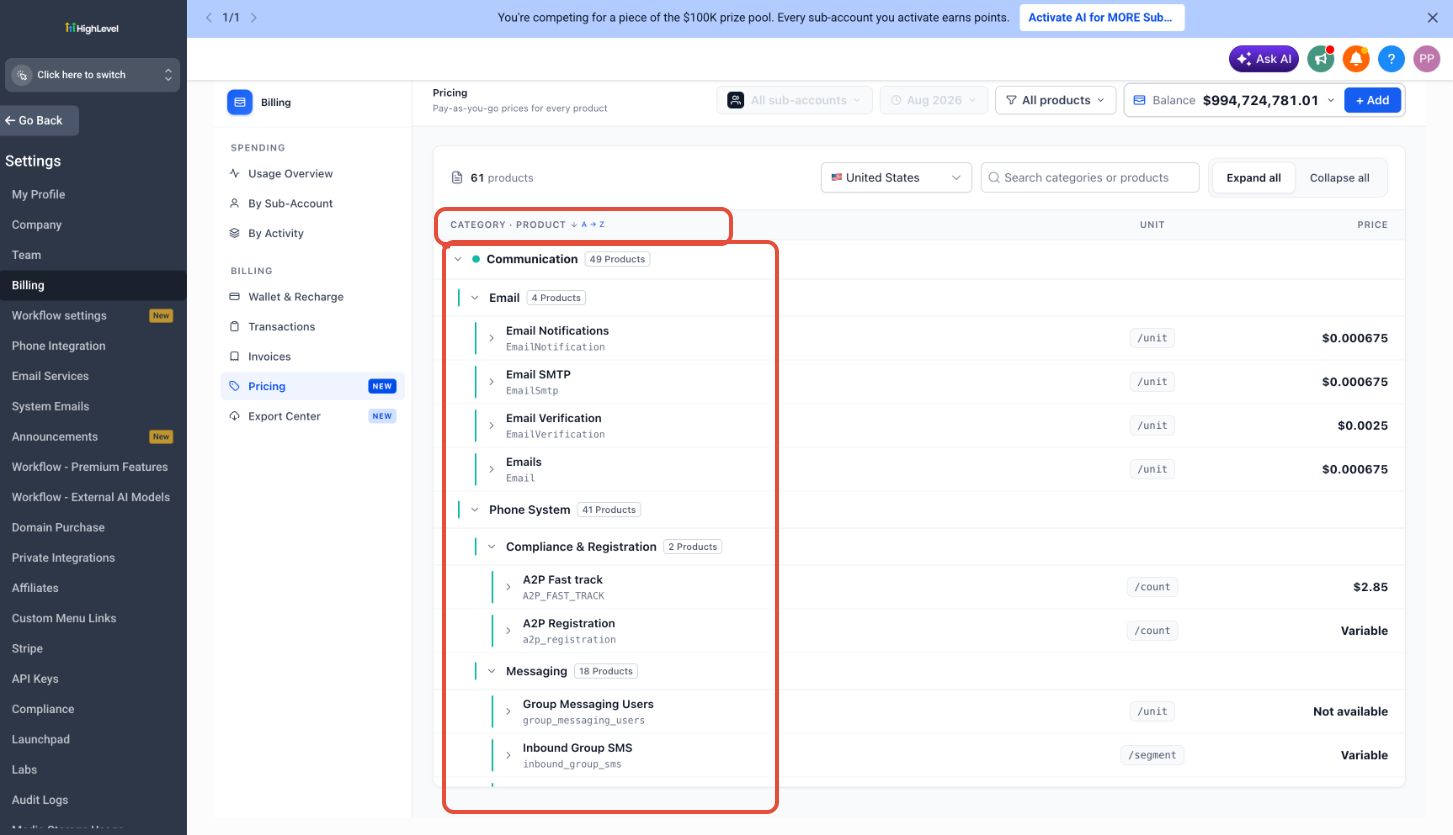
Use the search bar at the top of the page to search by category name or product name. The page will filter results in real time as you type, making it faster to locate the product you need.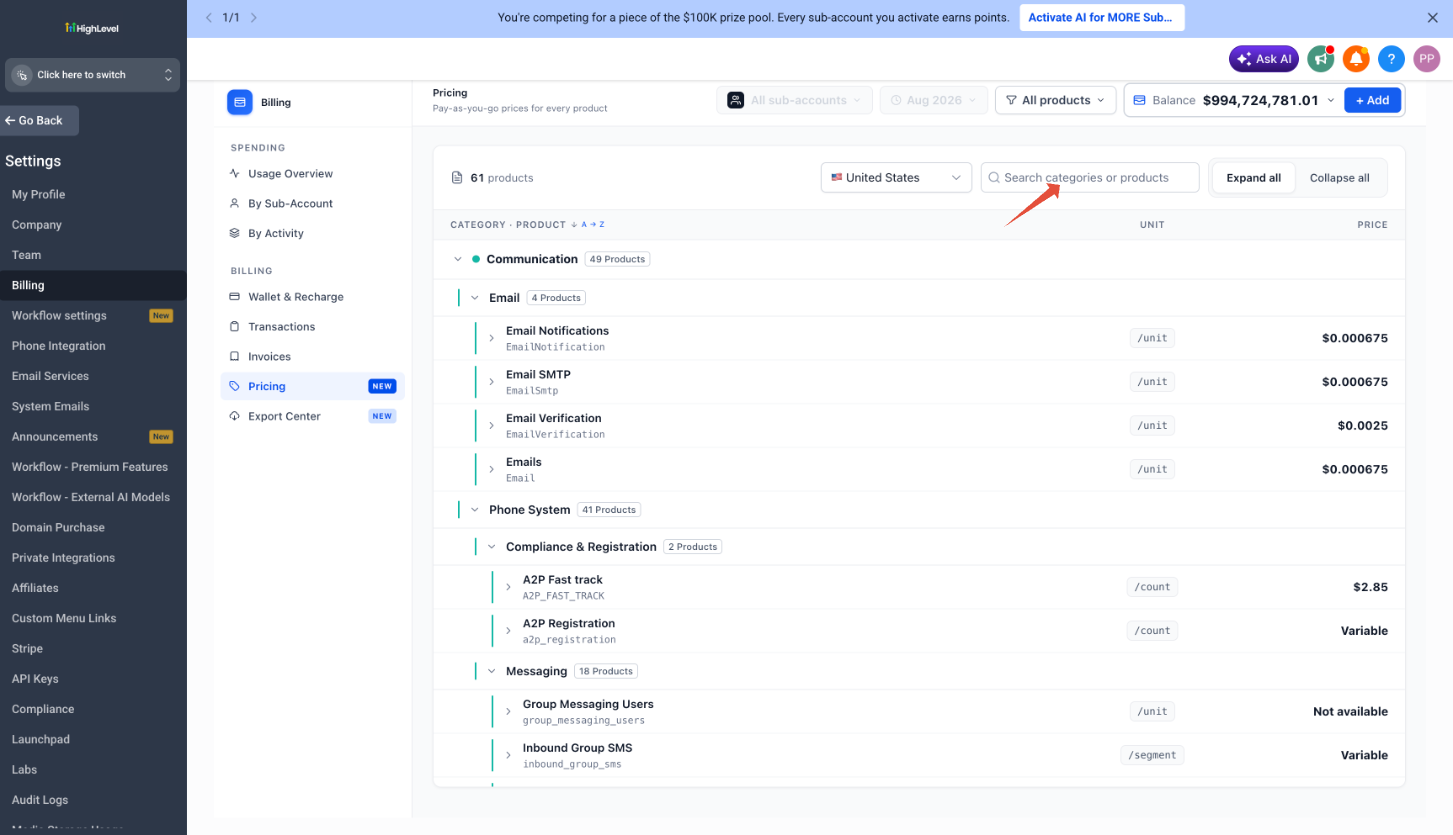
Use the country selector dropdown to switch between the 27 supported countries. Pricing will update automatically to reflect the rates applicable to the selected market. This is especially useful for products like WhatsApp messages and calls, which have country-specific rates.
Click on any product row to expand it and view the full breakdown. This includes the product category, SKU, description, pricing, billing unit, and country-specific rates where applicable.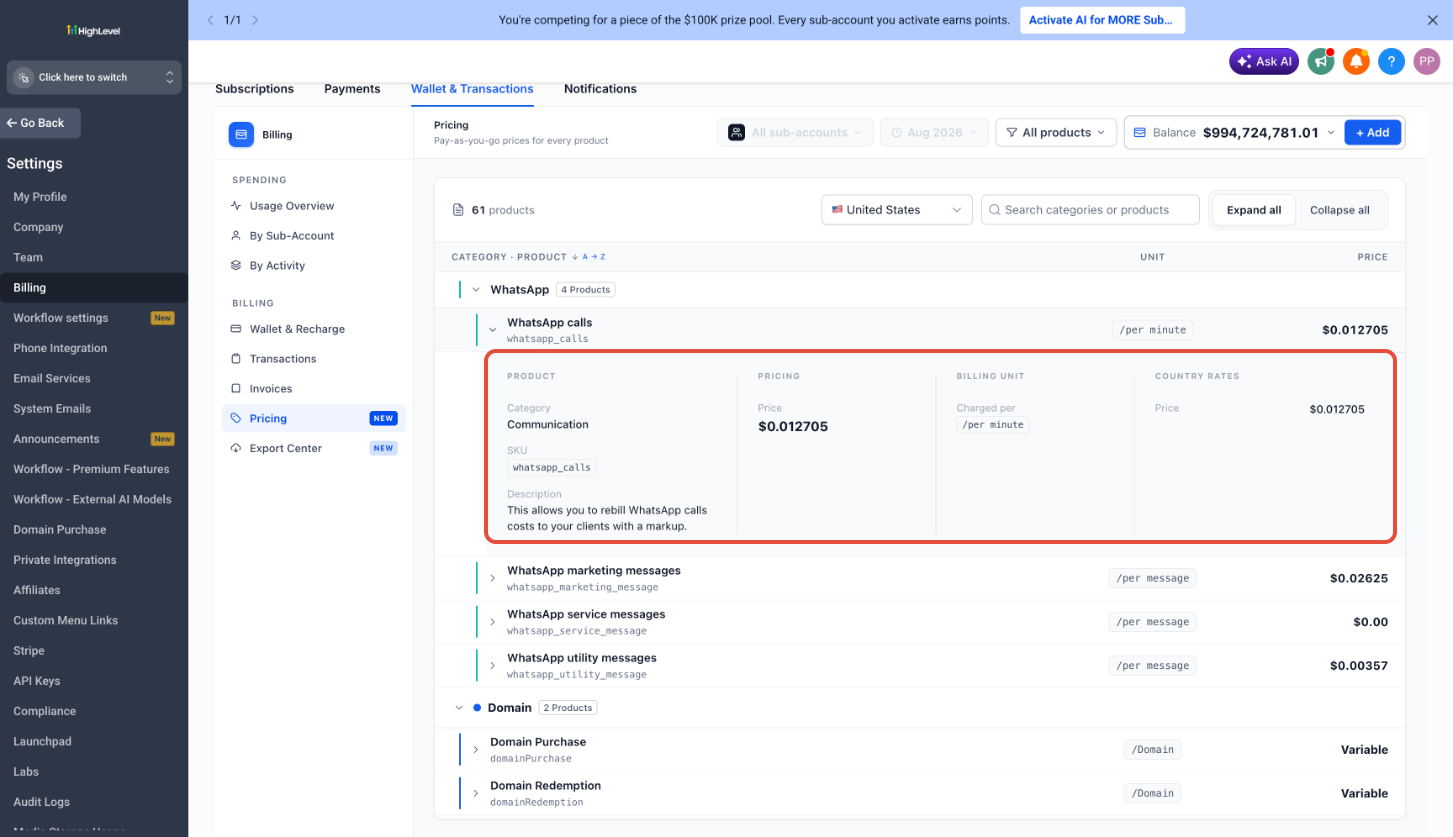
Supported Countries
The Wallet Pricing page currently supports 27 countries with localized pricing. Additional countries will be added in future updates.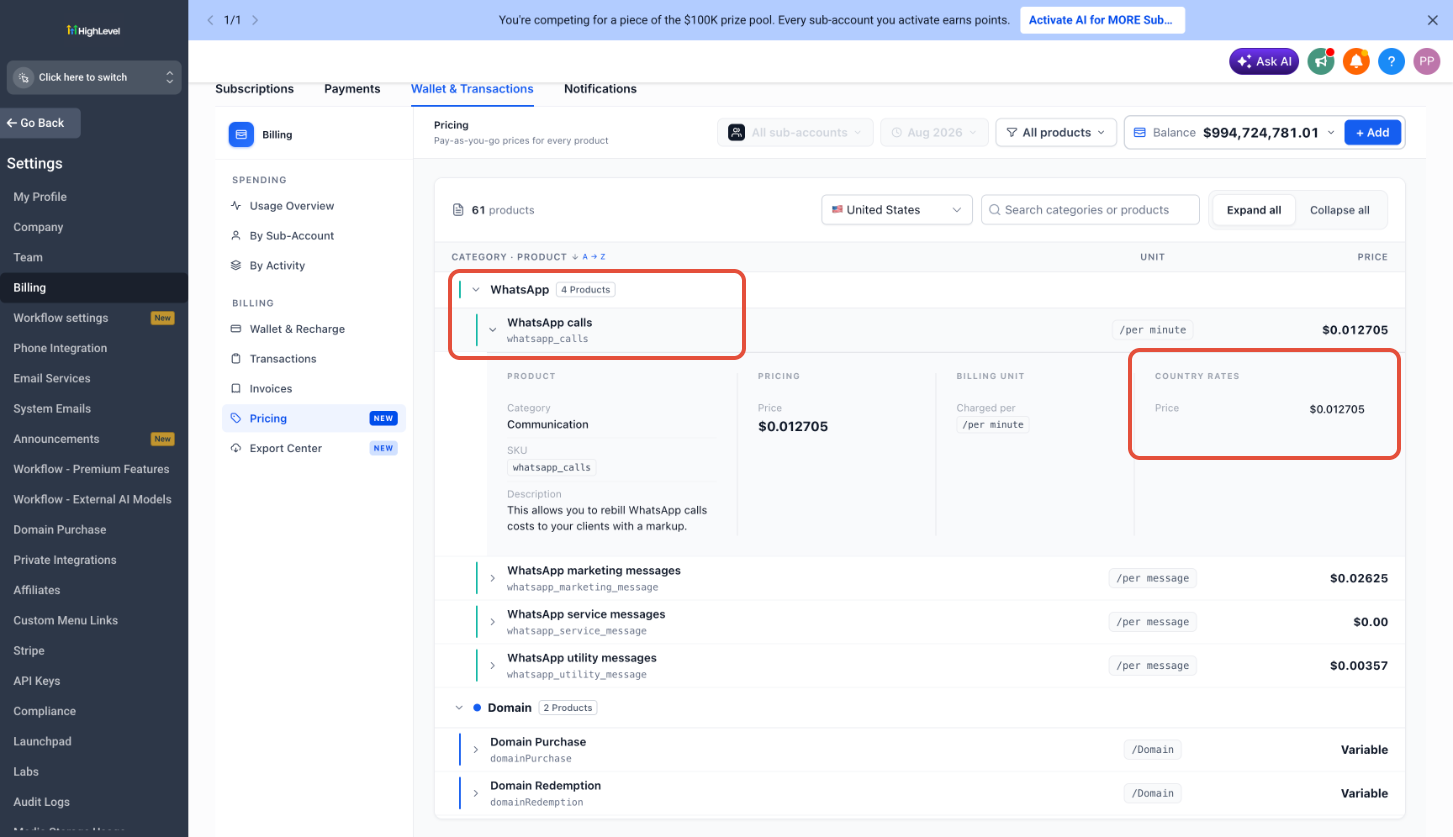
If your country is not currently supported, the page will display default pricing. Additional countries will be added over time as part of ongoing updates to the Billing Transparency initiative.
Frequently Asked Questions
Was this article helpful?
That’s Great!
Thank you for your feedback
Sorry! We couldn't be helpful
Thank you for your feedback
Feedback sent
We appreciate your effort and will try to fix the article