Who this is for: Anyone building dashboards or reports who tracks business-specific numbers — deal size, treatment cost, property value, or anything else — in a custom field on Contacts or Opportunities.
TABLE OF CONTENTS
Overview
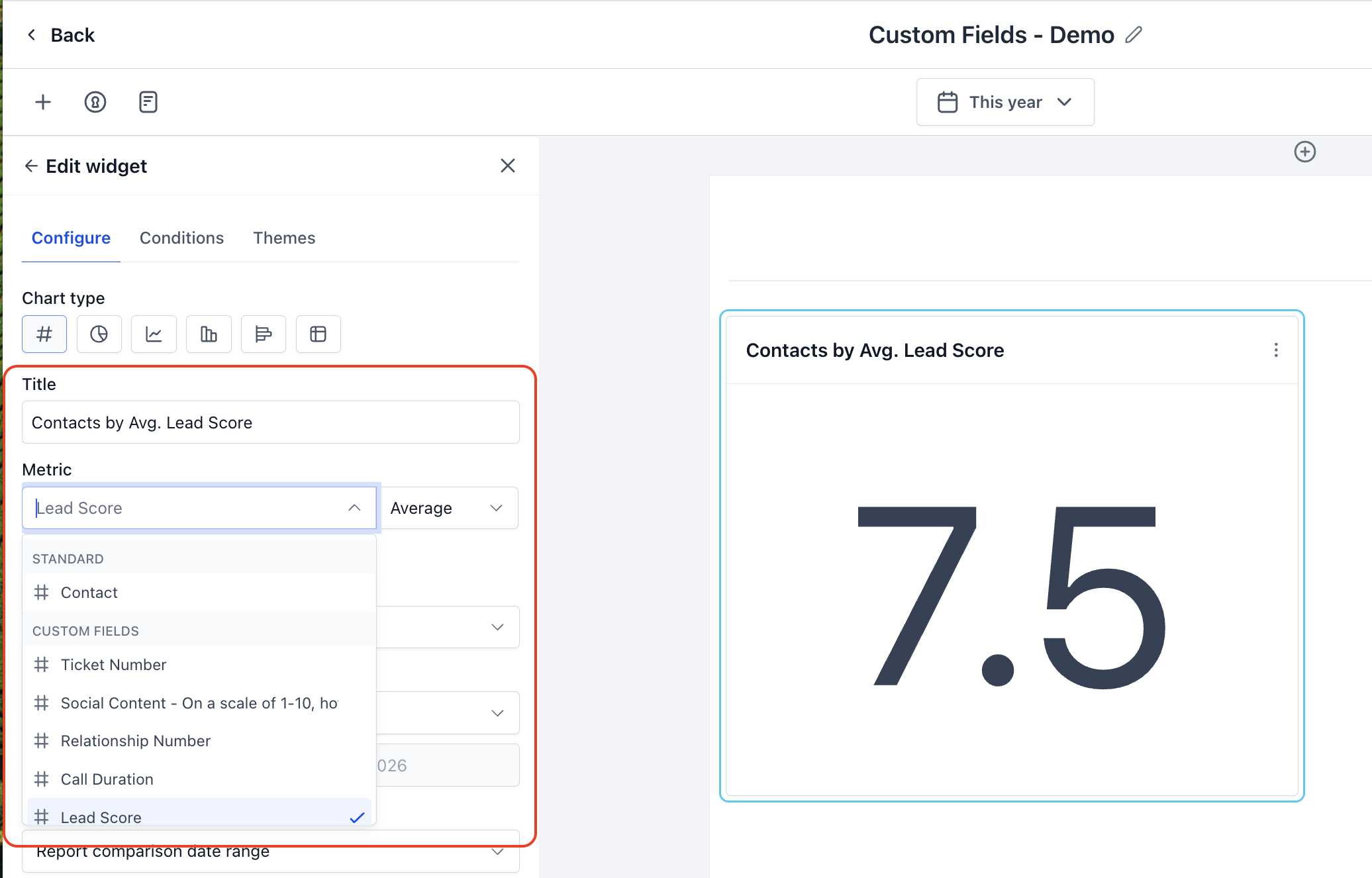
Numeric and monetary custom fields on Contacts and Opportunities can now be used as metrics, not just as filters or grouping fields. If you've been storing a business-critical number in a custom field, you can now sum it, average it, or find its min/max — directly in a dashboard widget, a custom report, or the custom metric module.
What's supported
- Field types: Numeric and monetary custom fields
- Modules: Contacts and Opportunities
- Aggregations: Sum, Min, Max, Average
- Available in: Dashboard widgets, Custom Reports, and the Custom Metric module
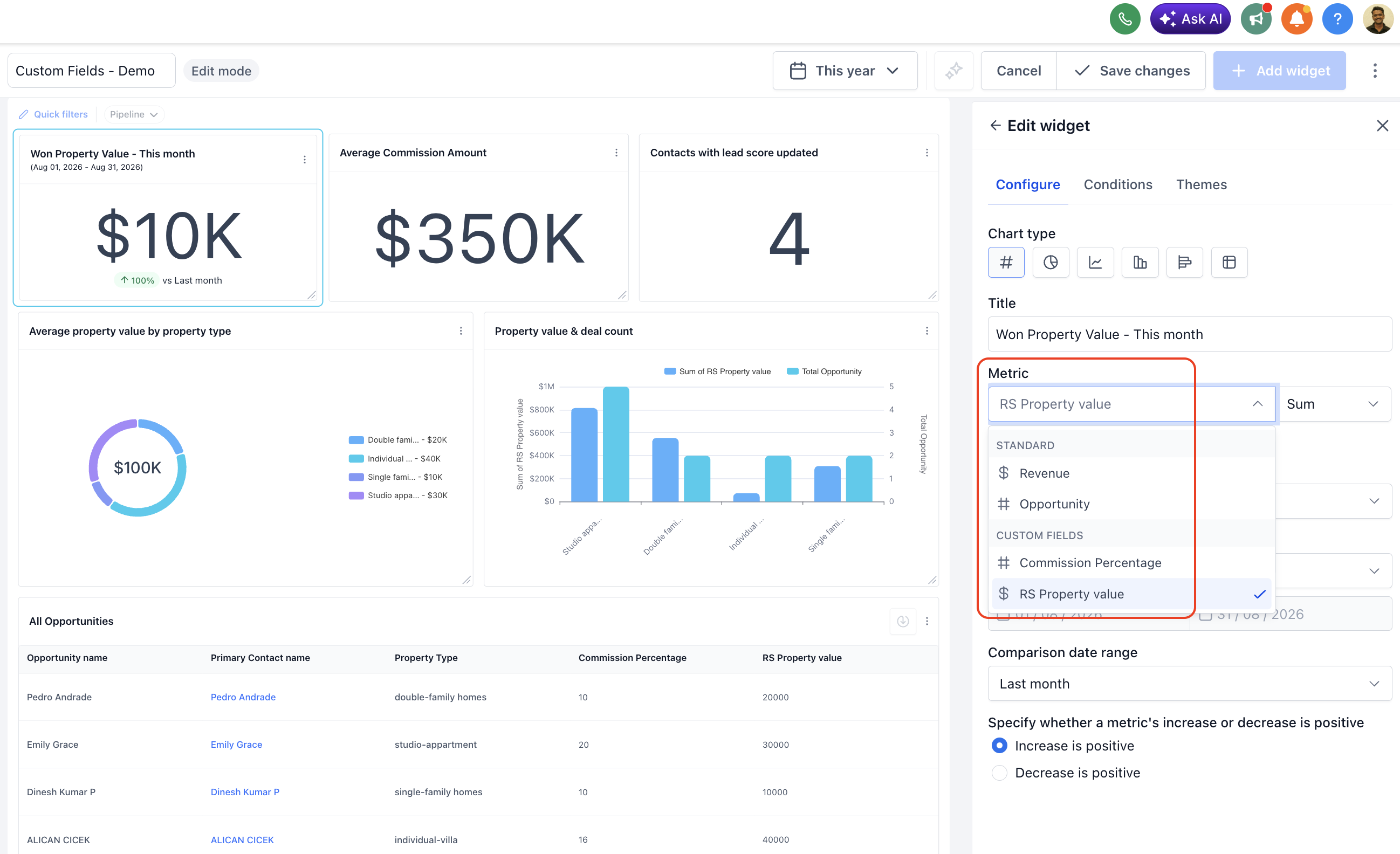
How to add a custom field as a metric
- Open a dashboard widget, custom report, or the Custom Metric module and add a new metric.
- In the Field dropdown, select your custom field (for example, "Property Value"). It appears alongside your standard fields, visually marked as a custom field.
- In the Aggregation dropdown, choose Sum, Min, Max, or Average.
- Save the widget or report. It now reflects the aggregated value of your custom field, live.
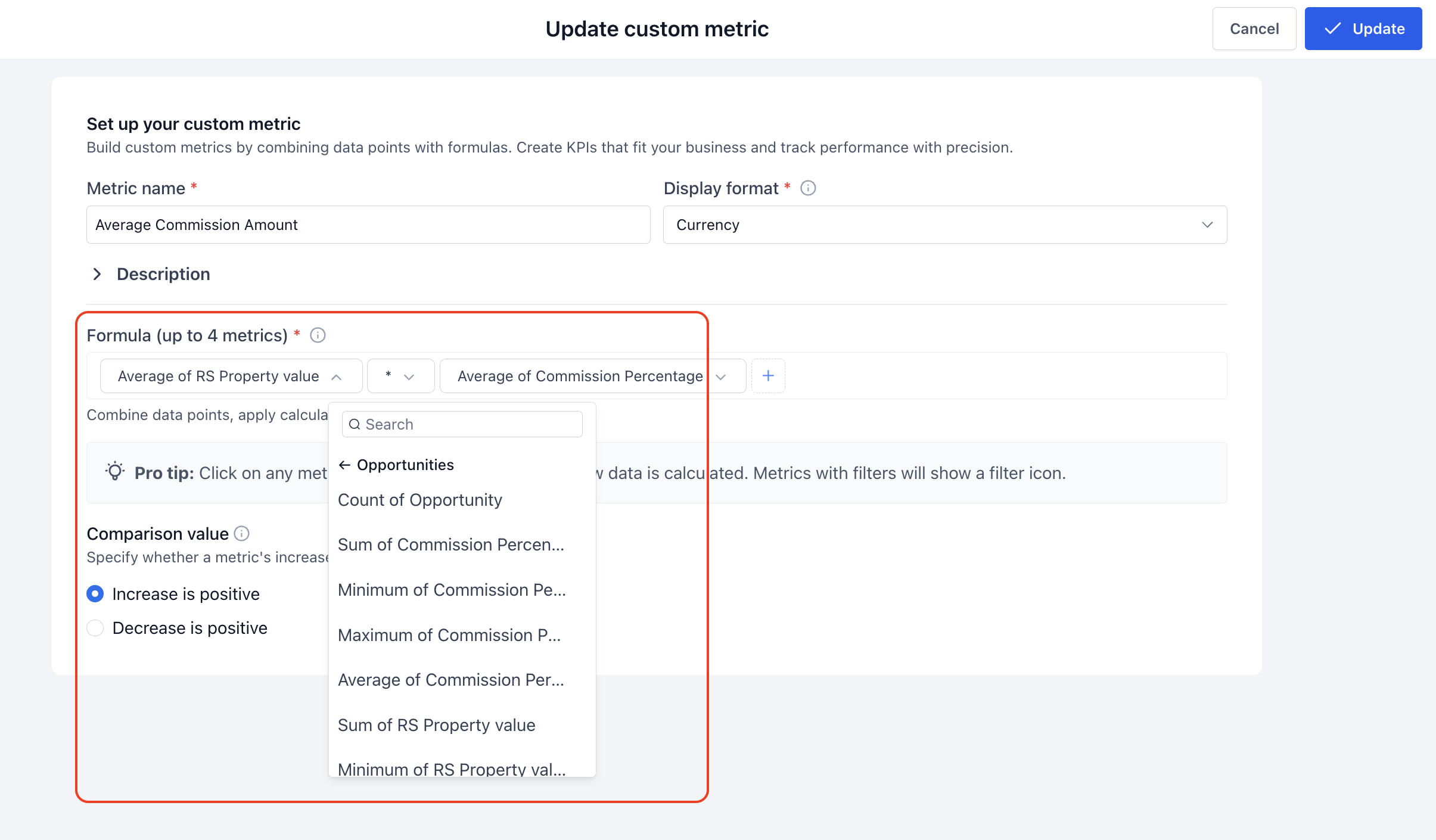
Example
A real estate agency tracks Property Value as a custom field on Opportunities.
- To see total value closed this month: select Property Value as the Field, Sum as the Aggregation, and filter to Closed Won.
- To see the biggest deal this period: select Property Value as the Field and Max as the Aggregation.
- To break it down by property type: add Property Type as a View By/dimension alongside the metric.
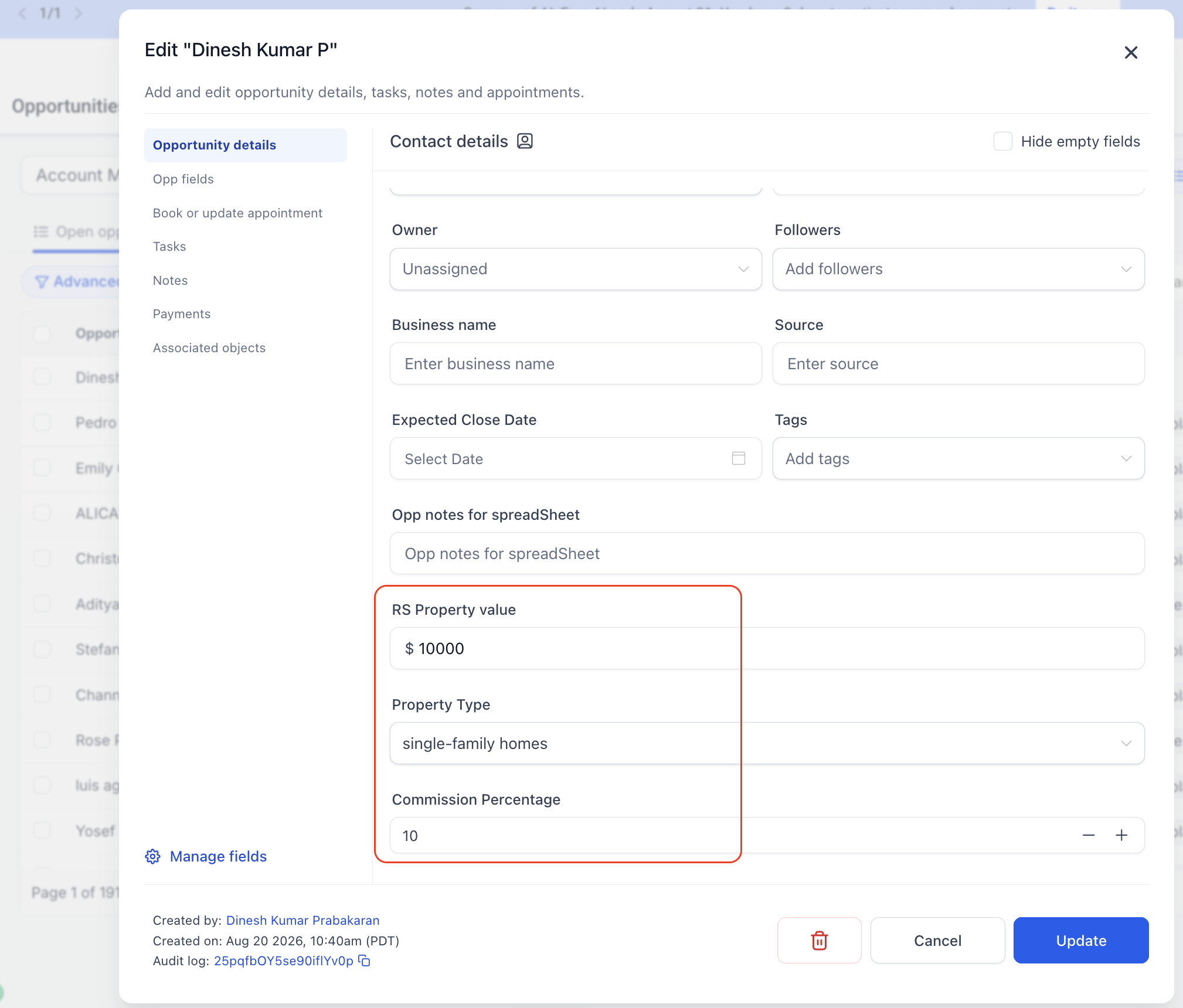
Notes
- Custom field metrics are supported from Contacts and Opportunities.
- Only numeric and monetary custom field types can be used as metrics.
- No setup or admin toggle is required. Every eligible custom field is available the moment it's created.
Was this article helpful?
That’s Great!
Thank you for your feedback
Sorry! We couldn't be helpful
Thank you for your feedback
Feedback sent
We appreciate your effort and will try to fix the article