HighLevel Mobile App Experience
The redesigned HighLevel Mobile App delivers a modern interface, streamlined App Drawer, role-based homepage, Universal Search, and the Ask AI assistant to help you communicate, sell, and analyze faster than ever.
This article covers the key benefits, navigation structure, homepage widgets, AI capabilities, and step-by-step setup instructions for enabling the experience in your agency and subaccounts.
This feature is available through HighLevel Labs. Enable it in Agency Settings → Labs → Subaccounts and select which subaccounts should access the new mobile experience. Test in your agency subaccount before rolling out to clients.
Key Benefits of the Mobile App
The redesigned mobile experience combines speed, intelligence, and role-aware design to streamline every aspect of business management on the go.
The New Homepage – Mission Control
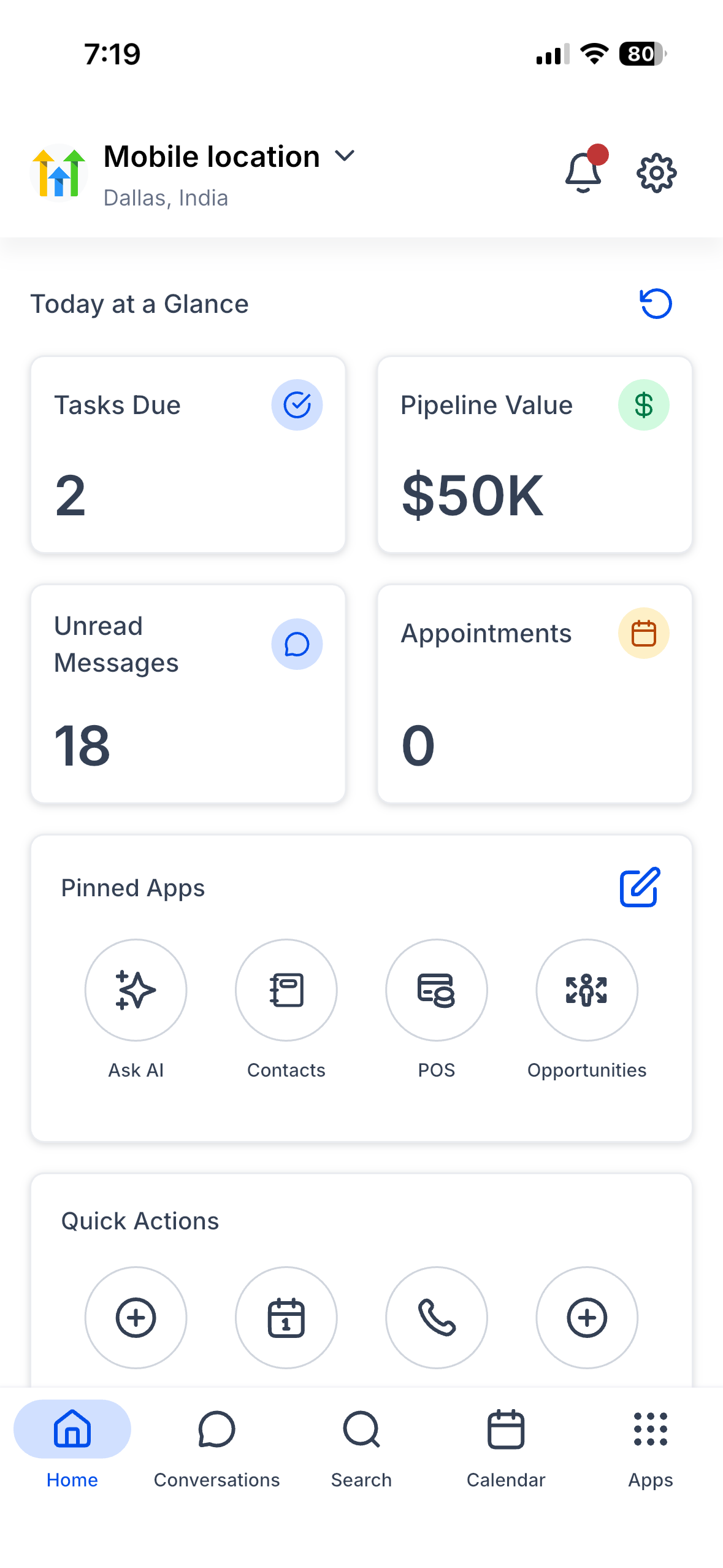
Role-aware widgets and charts provide every user with a personalized snapshot of critical business metrics and quick access to frequently used modules.
Tasks Due, Opportunity Pipeline Value, Unread Messages, and Today's Appointments provide at-a-glance insight into daily priorities.
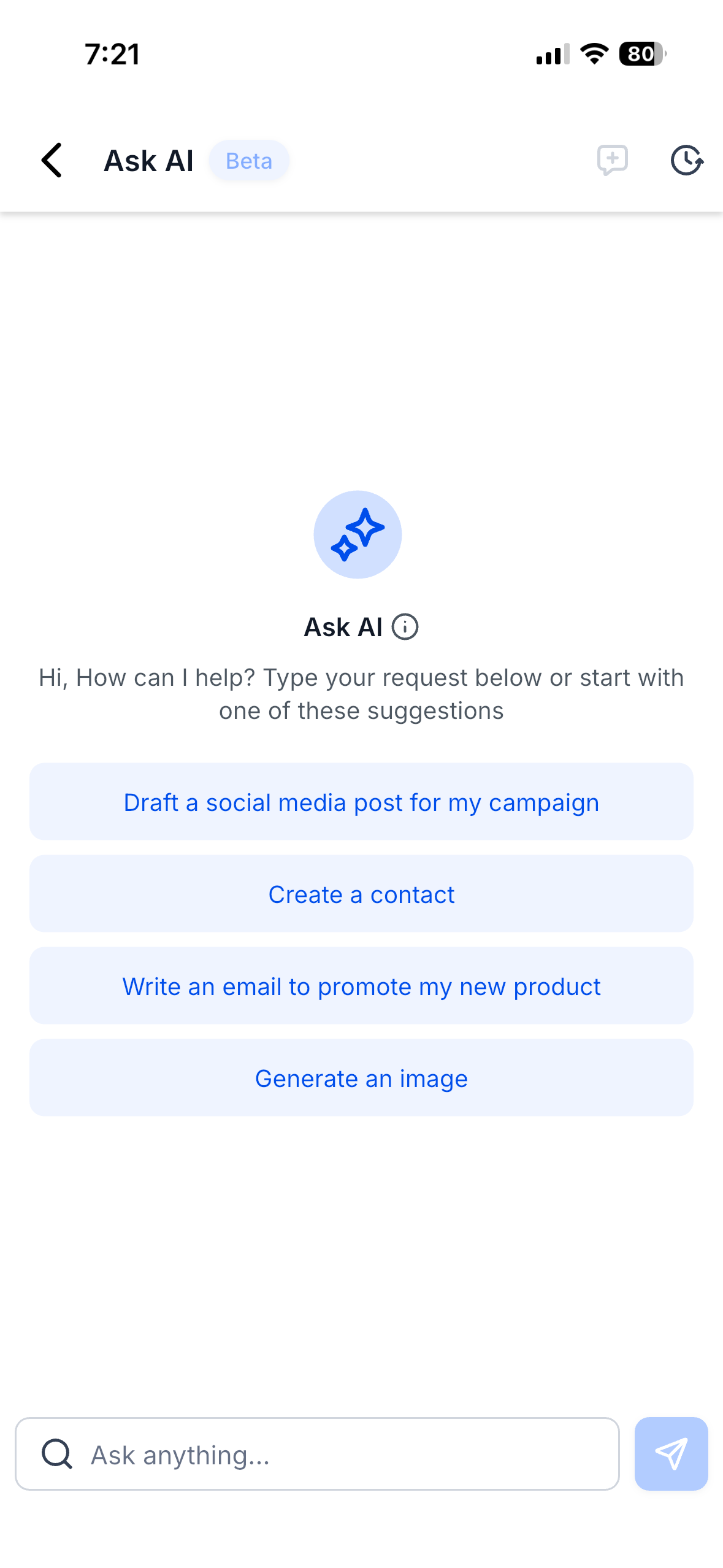
Choose up to four favorite modules and reorder them via drag-and-drop for instant access to your most-used tools.
Eight one-tap shortcuts enable rapid creation of contacts, opportunities, tasks, and messages directly from the homepage.
A six-month line graph displays collected revenue trends, helping you monitor financial performance at a glance.
Universal Search
Search across Conversations, Contacts, and Opportunities from a single search bar. The system remembers your last five queries and opens results in context, enabling you to jump directly into action. Additional modules will be added in Q4 2025 as part of the ongoing roadmap.
Universal Search is context-aware and lightning fast, making it ideal for quickly locating specific conversations or contact records while on calls or in meetings.
App Drawer
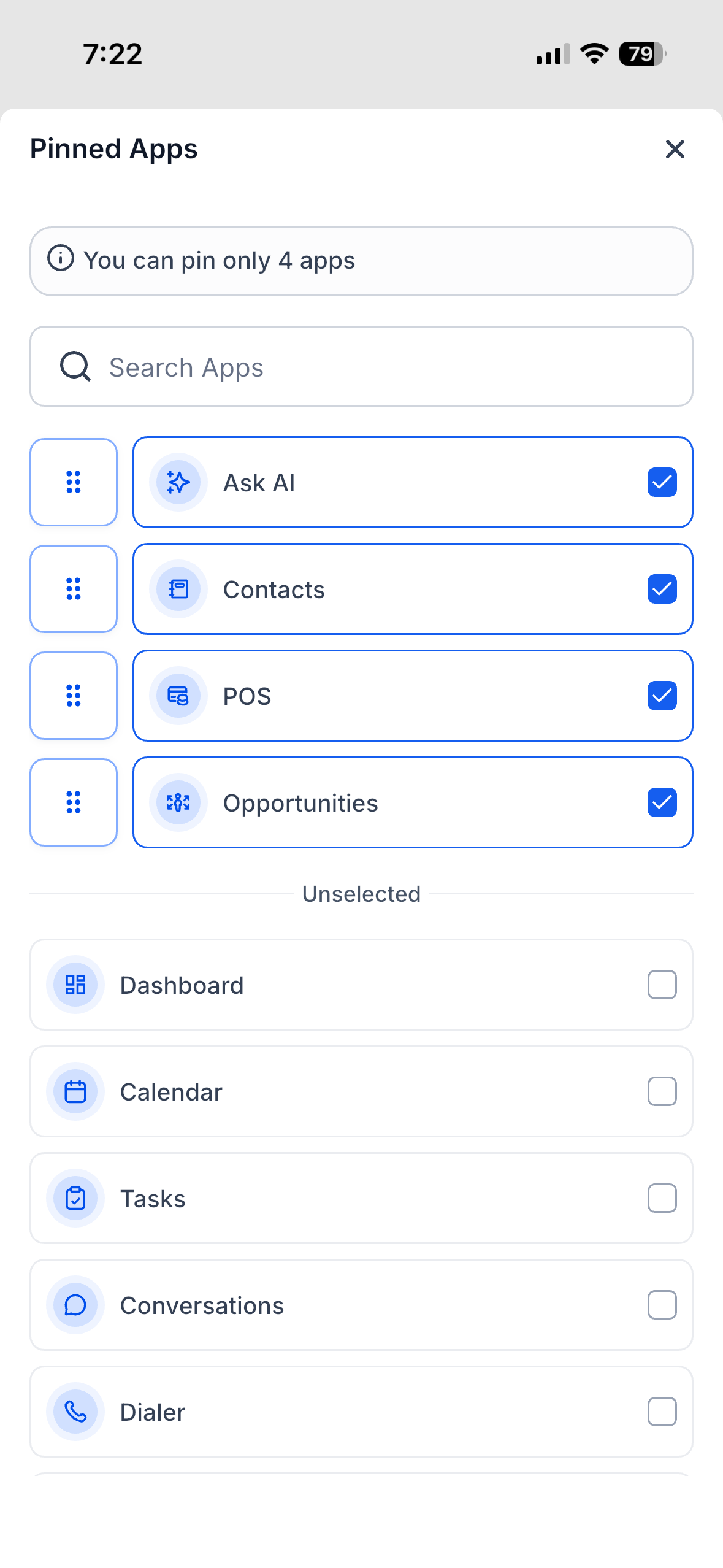
The App Drawer replaces the previous left-hand navigation with a four-column grid that organizes every module into logical categories. Global icons for Notifications and Settings are always visible in the top-right corner.
Dashboard, Reports, Tasks, and analytics tools grouped for data-driven decision making.
Conversations, Email, SMS, and messaging channels for client and team communication.
Contacts, Opportunities, Pipelines, Payments, and Invoices for revenue-driving activities.
Campaigns, Social Planner, Sites, Funnels, and automation tools for client acquisition and engagement.
Ask AI
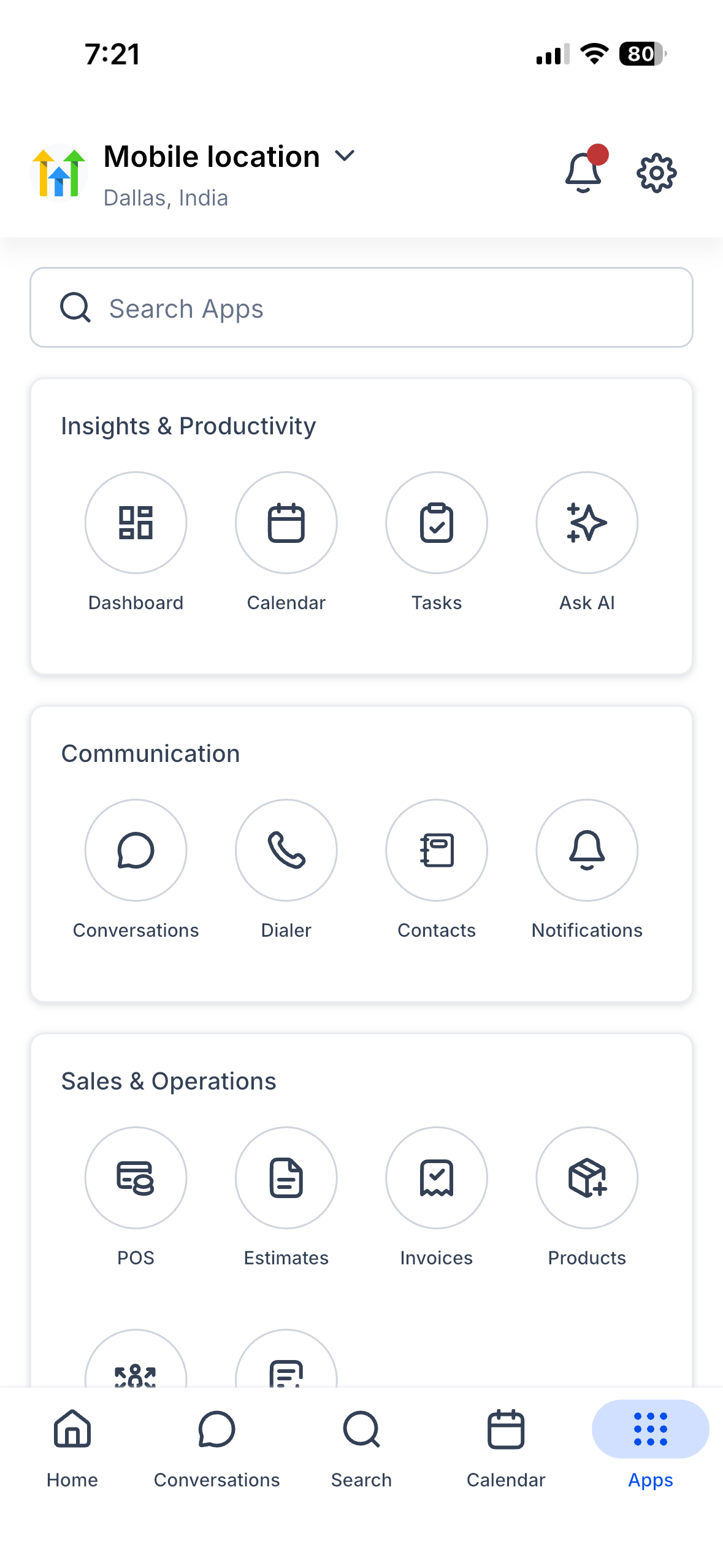
Your AI coworker travels with you, enabling content creation, CRM updates, and image generation directly from the mobile app. Chat History stores every session for easy reference.
Ask AI follows your existing AI usage limits and subscription tier. No separate mobile fee applies.
SaaS Configurator Enforcement
The mobile app enforces SaaS Configurator tiers, hiding modules and features that a user's subscription level does not allow. This maintains perfect consistency between mobile and web platforms, ensuring clients see only the tools included in their plan.
If certain modules are missing from the App Drawer, verify the account's subscription tier and user role permissions in the web dashboard.
Core Enhancements
Performance, design, and security improvements throughout the app create a smoother, more efficient mobile experience.
How to Set Up the Mobile App Experience
Enable the redesigned mobile experience in three quick steps.
Download the latest version of the HighLevel Mobile App from the Apple App Store or Google Play Store.
Navigate to Agency Settings → Labs → Subaccounts.
Toggle on "A New Mobile App Experience".
Select the subaccounts where you want to enable the redesigned interface.
Open the mobile app on your device and explore the new homepage, Universal Search, App Drawer, and Ask AI features.
Test the experience first in your agency subaccount before rolling it out to client subaccounts to familiarize yourself with the interface and capabilities.
Agencies using white-label mobile app builds should request a new binary after enabling the Labs toggle to ensure the redesigned experience appears in their branded apps.
Frequently Asked Questions
Was this article helpful?
That’s Great!
Thank you for your feedback
Sorry! We couldn't be helpful
Thank you for your feedback
Feedback sent
We appreciate your effort and will try to fix the article