Audit Logs for Email Preferences and Subscriptions
HighLevel's Audit Logs provide detailed visibility into preference and subscription management activities. You can track which users made changes, when modifications occurred, and what values were updated — giving your team the transparency needed for compliance and accountability.
This article explains how to access and interpret audit records for contact preference updates and subscription type modifications, helping you maintain a complete historical record of all email management activities.
What Are Audit Logs for Email Preferences?
Audit Logs for email preferences and subscriptions provide a comprehensive record of all changes made to contact preference settings and subscription types within your HighLevel account. This feature tracks modifications made by logged-in users, capturing essential details like who made the change, when it occurred, and what specific values were updated.
The audit trail covers two primary areas: individual contact preference updates (such as email opt-in status or communication preferences) and subscription type modifications made through the Preference Management Hub (such as changes to subscription type names, settings, or configurations).
This visibility helps maintain regulatory compliance, support internal accountability, and provide a defensible record of all preference management activities across your organization.
Key Benefits
Audit Logs for email preferences deliver critical capabilities for compliance, accountability, and operational transparency:
What Information Is Tracked?
Audit Logs capture detailed information for two types of email-related activities:
When a logged-in user modifies contact preferences, the audit log records:
- Which contact's preferences were updated
- Who made the change (user identification)
- When the change was made (timestamp)
- The previous and updated preference values
When subscription types are modified in the Preference Management Hub, the audit log captures:
- Which subscription type was modified
- Who made the change (user identification)
- When the update occurred (timestamp)
- What settings or details were changed
A dedicated History tab on Contact Preferences will provide a complete timeline of preference changes, including sources, legal basis, and detailed update information.
How to Access Audit Logs
Follow these steps to view audit records for email preference and subscription changes:
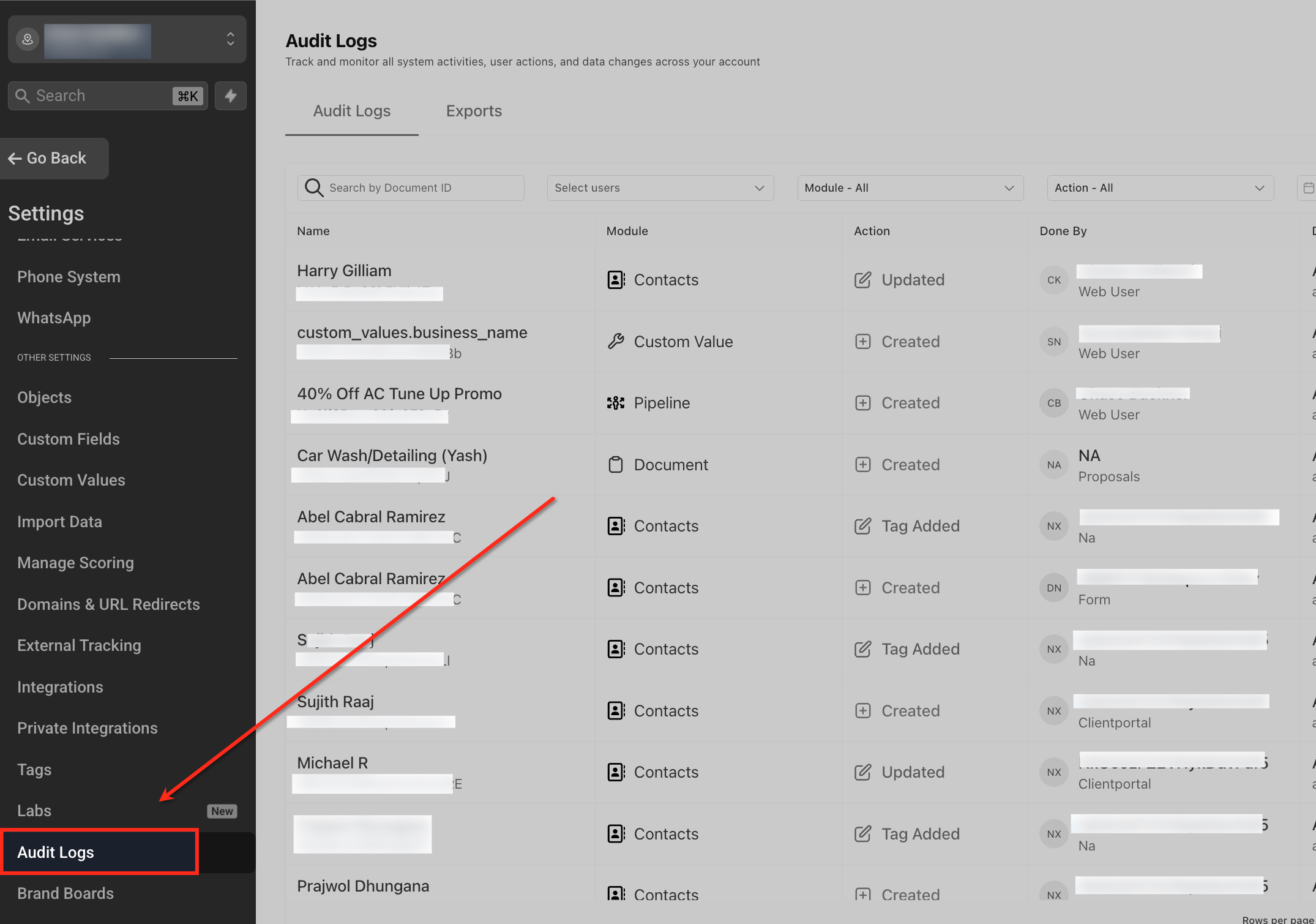
Go to Settings → Audit Logs from your HighLevel account navigation.
Review the audit log entries to see detailed information about each change, including the user who made the modification, the affected record (contact or subscription type), the timestamp, and the specific change details (previous and updated values).
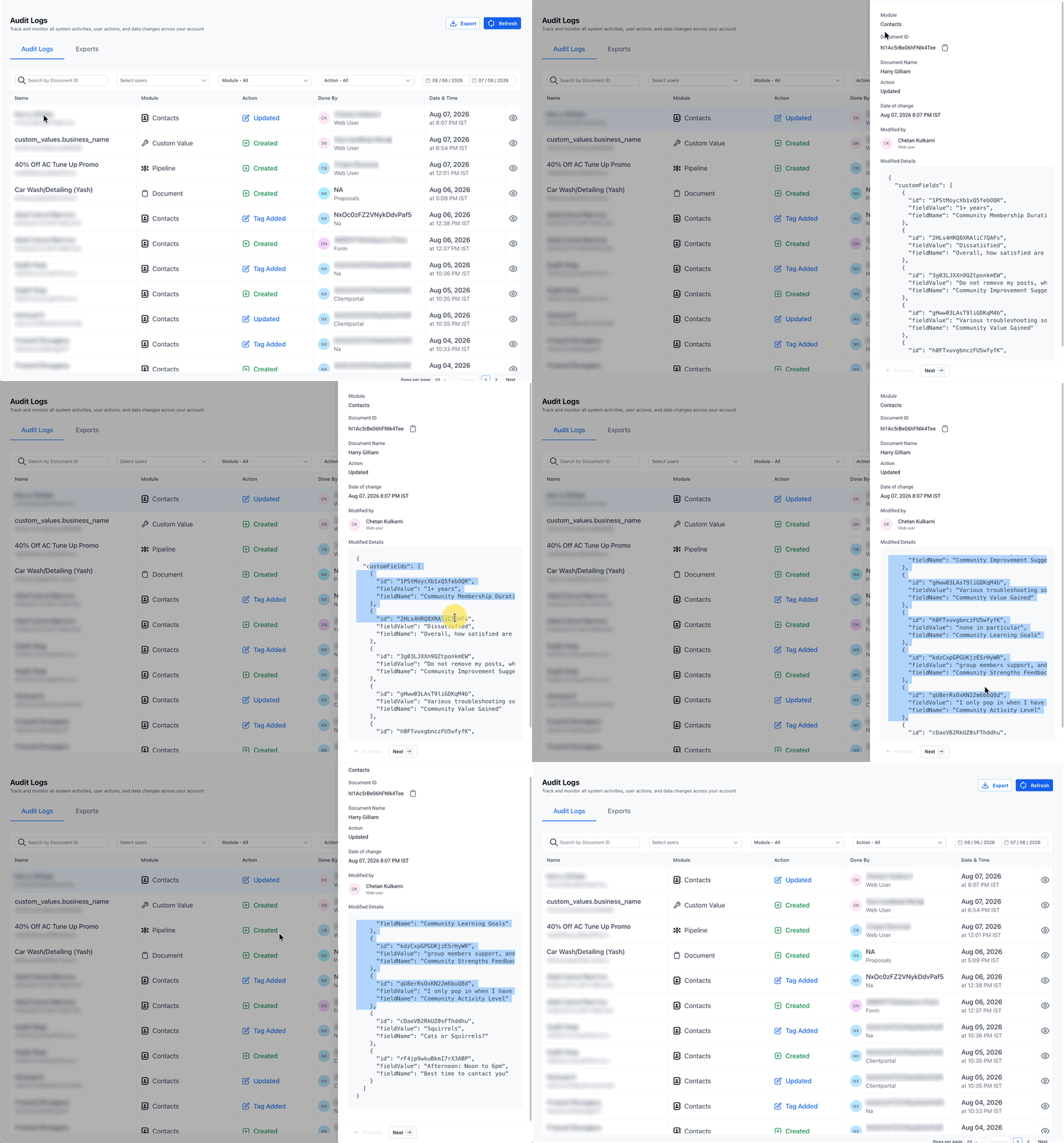
Use the export functionality to download audit records for compliance reporting, documentation, or internal review purposes.
Frequently Asked Questions
Was this article helpful?
That’s Great!
Thank you for your feedback
Sorry! We couldn't be helpful
Thank you for your feedback
Feedback sent
We appreciate your effort and will try to fix the article