TABLE OF CONTENTS
- Before You Start
- What is Blog Post AI?
- Where to Find Blog Post AI
- ✨ AI Modes Explained
- Smart Editing Tools
- How to Use Blog Post AI (Step-by-Step)
- Benefits of Blog Post AI
- FAQs
Blog Post AI helps you create high-quality, SEO-optimized blog posts in just a few minutes using AI. Whether you want full automation or precise control, you can choose between Assist Mode and Build Mode to generate content effortlessly.
Before You Start
Ensure Blog AI is enabled via Labs
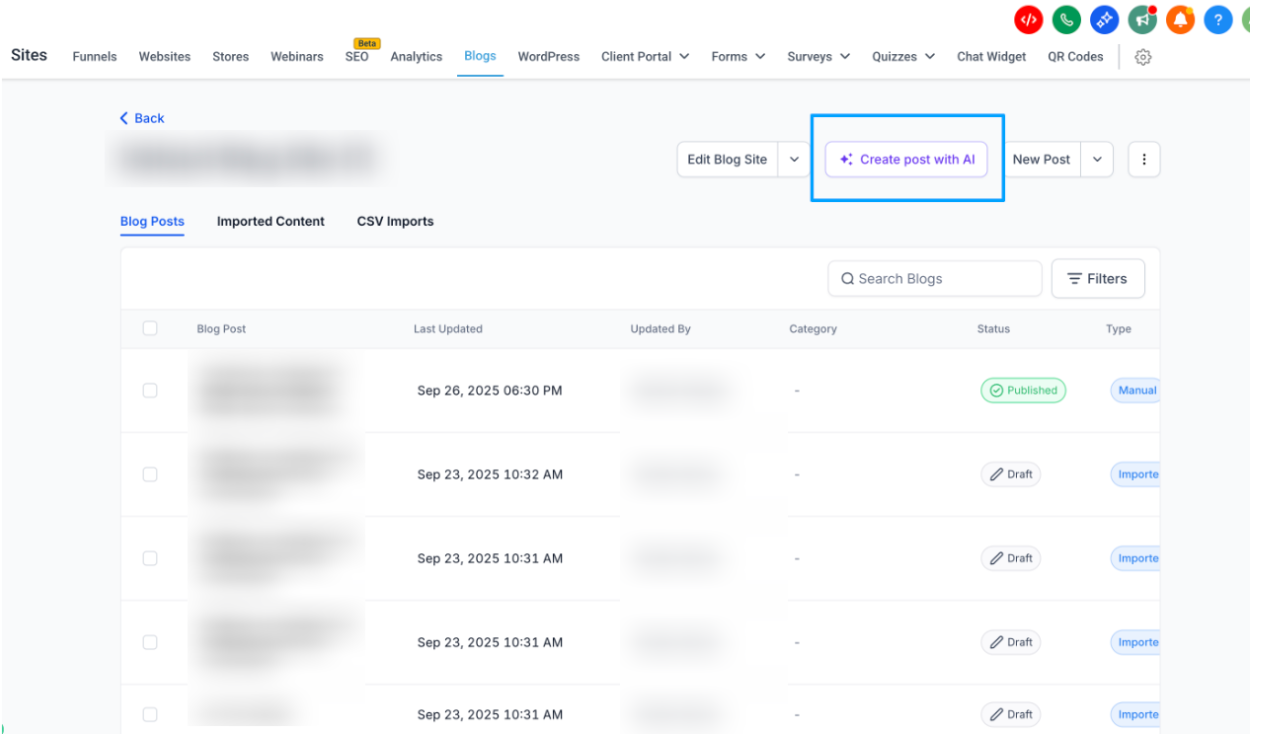
Navigate to Sites → Blogs
What is Blog Post AI?
Blog Post AI is an intelligent writing assistant built into the Blogs module.
It enables you to:
Generate blog posts from a topic
Create long-form or custom content using your own prompt
Automatically generate images
Get SEO-personalized titles, descriptions & keywords
Edit, rewrite, or regenerate any part of your blog
Publish or save drafts instantly
This turns HighLevel into a full end-to-end content creation workspace.
Where to Find Blog Post AI
You can access Blog Post AI inside the Blog Editor.
Navigation:
Sites → Blogs → Create Blog Post → Create with AI
You will see two AI modes:
Assist Mode (Topic-Based)
Build Mode (Free Prompt)
✨ AI Modes Explained
Below are detailed explanations of the two AI writing modes:
Assist Mode (Topic-Based Blog Generation)
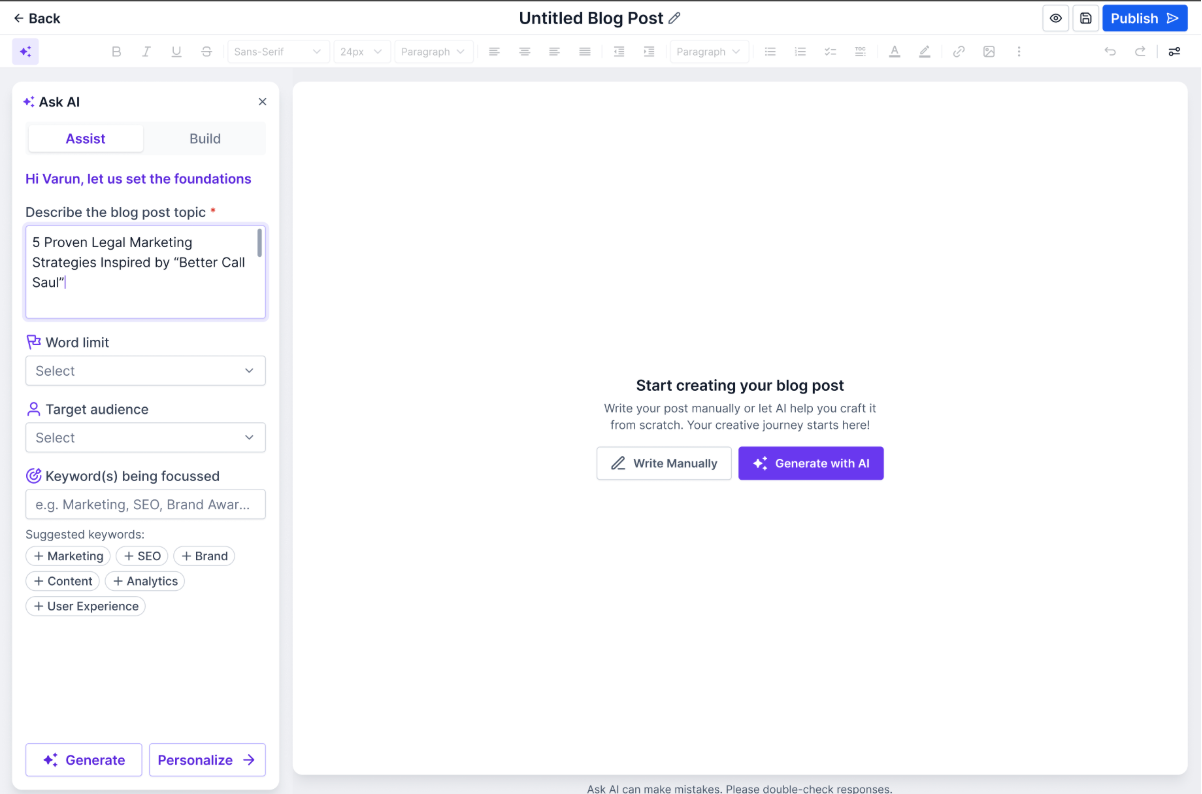
Use Assist Mode when you want AI to create a full blog from a simple topic.
How it works:
Enter your blog topic → AI generates:
A complete outline
Headings & subheadings
A well-structured article
SEO metadata (title, description, keywords)
Relevant AI-generated images
Reader-friendly paragraphs
Best for:
Quick drafts
SEO-focused content
Beginners or non-writers
Agencies producing blogs at scale
Build Mode (Free-Prompt Creation)
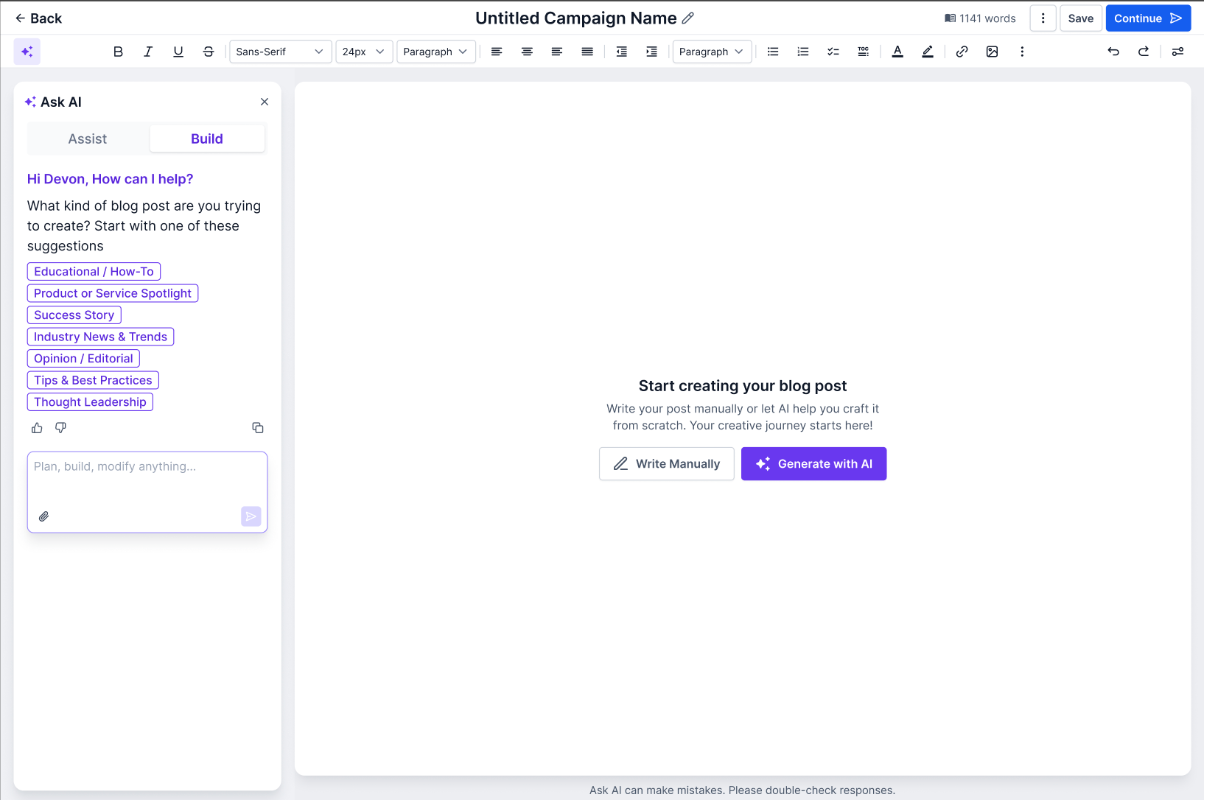
Build Mode is for advanced users who want long-form or highly personalized outputs.
How it works:
Write any custom prompt, such as:
“Write a 1500-word guide on sustainable fashion for beginners.”
“Create a blog about the benefits of magnesium with research-backed points.”
AI will create content tailored exactly to your prompt.
Best for:
Niche industries
Technical or expert-level topics
Advanced marketers & agencies
Writers needing creative control
Smart Editing Tools
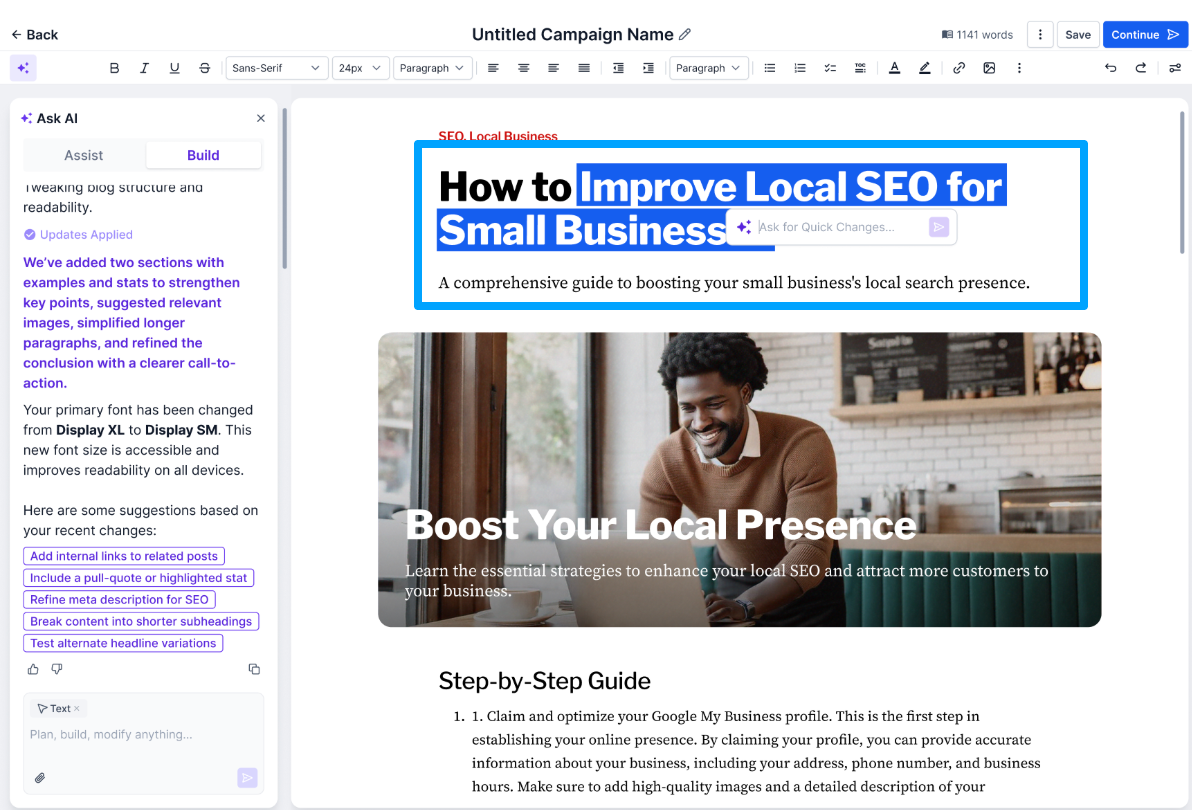
After generating content, you can seamlessly refine your post.
Inside the editor, you can:
Regenerate paragraphs
Improve tone, clarity, or length
Replace or regenerate AI images
Delete unused sections
Apply SEO enhancement suggestions
Everything happens in one place, no copying or switching tabs.


How to Use Blog Post AI (Step-by-Step)
Go to Sites → Blogs
Click Create Blog Post
Select Create with AI
Choose your mode:
Assist Mode (Topic-based)
Build Mode (Free prompt)
Enter topic or prompt → AI generates full content
Edit & refine using Smart Editing Tools
Add SEO metadata (auto-generated & editable)
Insert, regenerate, or delete images
Click Publish or Save as Draft
Benefits of Blog Post AI
Blog Post AI helps you:
Create blogs 5× faster
Improve content consistency & quality
Reduce dependency on external AI tools
Streamline SEO workflows
Boost publishing frequency for businesses & agencies
Scale content production effortlessly
FAQs
1. Can I regenerate only a specific section?
Yes. Hover over any paragraph → choose Regenerate, Rewrite, or Adjust Tone.
2. Can I change the AI-generated images?
Absolutely. You can replace, regenerate, or delete images anytime.
3. Is SEO metadata generated automatically?
Yes. Blog Post AI creates:
SEO title
Meta description
Keywords
All of which can be edited manually.
4. Can I use both modes in the same blog?
Yes. You can start in Assist Mode, then use Build Mode prompts for additional sections.
5. What is the difference between Assist Mode and Build Mode?
Assist Mode generates a complete blog from a simple topic input
Build Mode gives you more control using custom prompts for specific or branded content
Was this article helpful?
That’s Great!
Thank you for your feedback
Sorry! We couldn't be helpful
Thank you for your feedback
Feedback sent
We appreciate your effort and will try to fix the article