CNAM (Caller Name Presentation) is a feature in the U.S. public telephone network that associates your phone number with a business or personal name. When you make an outgoing call, this name may be displayed on the recipient’s device. This article explains CNAM requirements, registration steps, and why name display or spam-label removal is not guaranteed.
TABLE OF CONTENTS
- What is CNAM?
- Key Benefits of CNAM
- CNAM, A2P, SHAKEN/STIR, and Voice Integrity
- CNAM Registration Requirements
- How To Register for CNAM
- Frequently Asked Questions
- Related Articles
What is CNAM?
CNAM, or Caller Name Presentation, is a feature of the U.S. public telephone network that associates a phone number with a registered business or personal name. It adds an identification layer to outbound calling so recipients may see who is calling instead of only seeing a phone number.
When you make an outbound call, the receiving carrier may retrieve the CNAM information associated with your number and display the registered name on the recipient’s device.
Important: CNAM name display is not guaranteed. The recipient’s carrier, device, caller ID service, and other carrier policies can affect whether the registered name appears.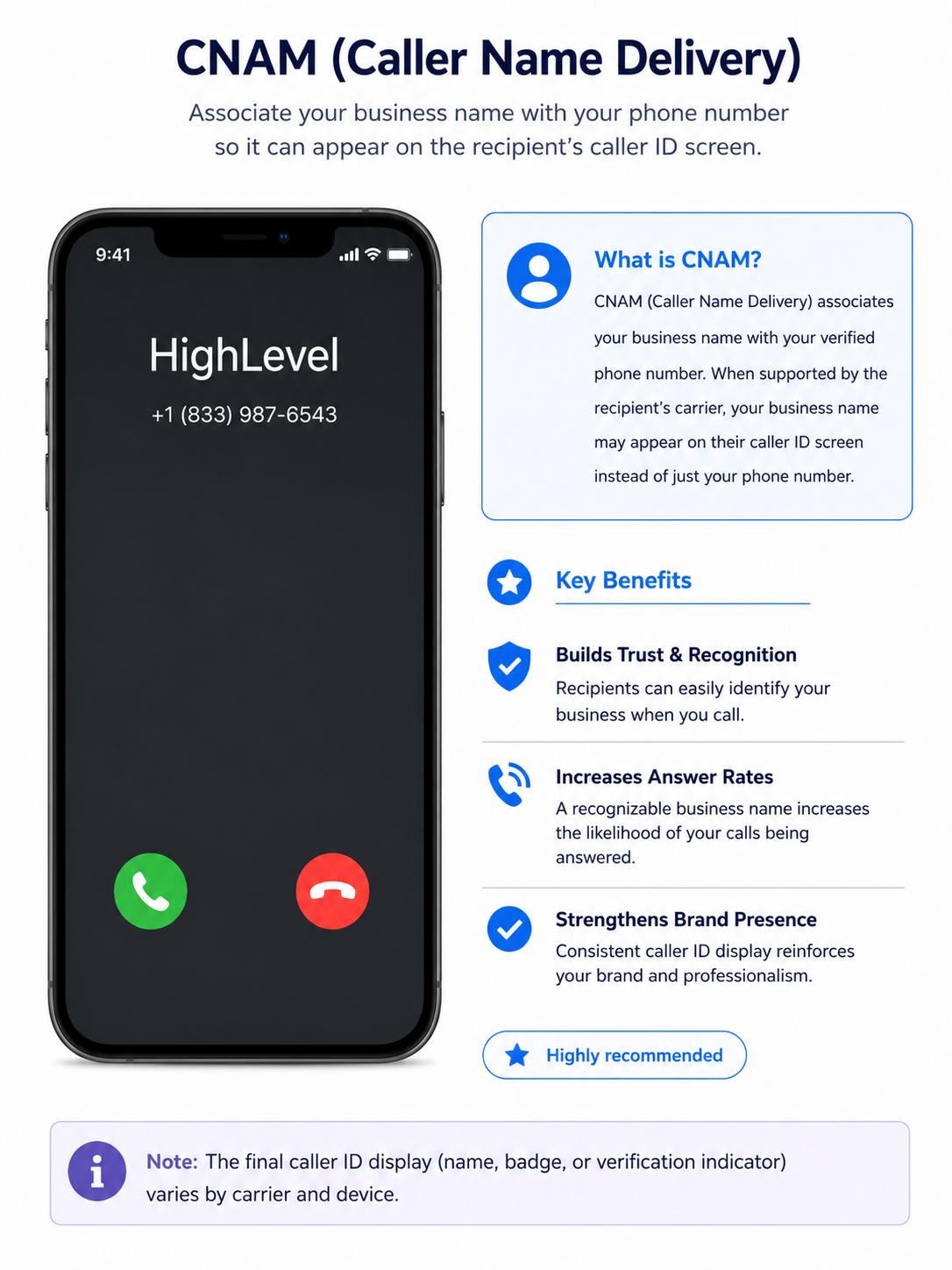
Key Benefits of CNAM
- Improved caller recognition: Helps recipients identify the business associated with an outbound phone number.
- Increased trust: A recognizable business name can make legitimate calls easier for recipients to identify.
- Better answer rates: Clear caller identification may increase the likelihood that contacts answer your calls.
- Consistent business identity: Associates your outbound phone number with the business name submitted during registration.
CNAM, A2P, SHAKEN/STIR, and Voice Integrity
CNAM is one part of HighLevel’s broader calling trust and compliance tools. Understanding the difference between these registrations helps ensure you use the correct process for your goal.
- A2P registration: Supports compliant business messaging and should be completed before beginning the CNAM registration workflow described below.
- CNAM: Associates your U.S. phone number with a registered business or personal name.
- SHAKEN/STIR: Authenticates caller ID information and helps carriers verify that the caller is authorized to use the number.
- Voice Integrity: Helps eligible U.S. phone numbers address reputation and spam-labeling issues with caller ID analytics providers.
CNAM is a separate registration and does not replace A2P, SHAKEN/STIR, or Voice Integrity.
Note: For a broader overview of how these calling tools work together, see Branded Calling: Improve Your Phone Number Reputation.
CNAM Registration Requirements
Accurate business information helps carriers and verification systems validate your CNAM registration. Use information that matches your official business records whenever possible.
Before starting CNAM registration, prepare the following:
- A valid Employer Identification Number (EIN).
- Your exact legal business name.
- Business type.
- Business industry.
- Business email address.
- Business website URL.
- Business region of operations.
- Registered business address.
- Contact information for an authorized representative.
- The business name you want to use as your CNAM display name.
You can also upload your IRS CP575 document in PDF format during registration. HighLevel can use this document to automatically populate information such as your business name, EIN, and address.
Important registration guidelines:
- Enter the legal business name exactly as it appears on your tax documents, including suffixes such as LLC or Inc.
- The business registration number/EIN must contain nine digits.
- EINs issued within the last 15 days may be rejected during verification.
- Use an email address on your business domain when possible. Personal email addresses such as Gmail or Yahoo may result in longer approval times.
- Do not use a P.O. Box as the street address.
- For U.S. businesses, the submitted address should match the address shown on the CP575 document.
How To Register for CNAM
Completing each registration field accurately helps reduce verification issues and ensures the CNAM record represents the correct business. Follow the Trust Center workflow carefully and make sure your business information matches your official documents.
Step 1: Open CNAM Voice in the Trust Center
- Log in to the sub-account.
- Go to Settings.

- Open Phone System.
- Go to Trust Center.

- Confirm that your A2P registration has been completed.
- Locate CNAM Voice.
- Click Start Registration.

Step 2: Complete Your Business Details
Upload your CP575 PDF, if available, to automatically populate supported business information.
You can also enter the information manually.
- Enter your Legal Business Name exactly as it appears on your tax documentation.
- Select your Business Type, such as:
- Corporation
- Limited Liability Company
- Sole Proprietorship
- Nonprofit Corporation
- Partnership
- Cooperative
- Select your Business Industry.
- Enter your nine-digit Business Registration Number/EIN.
- Enter your Business Email.
- Enter your Website URL.
- Select your Business Region of Operations.
- Click Continue.

Step 3: Enter Your Business Address
- Select the Country.
- Select the State or Province.
- Enter the Street Address.
- Enter the City.
- Enter the Postal or ZIP Code.
- Click Continue.
Note: Do not enter a P.O. Box as the street address. For U.S. businesses, the address should match the address shown on your CP575 documentation.
Step 4: Add the Authorized Representative
- Enter the representative’s First Name.
- Enter the Last Name.
- Enter the Email Address. (You need to complete OTP verification for email address validation)
- Enter the Phone Number.
- Enter the representative’s Job Position.
- Click Continue.

Step 5: Complete the CNAM Details
The phone numbers associated with the CNAM registration are automatically linked during the registration workflow.
- Enter the CNAM Display Name you want associated with your outbound calls.
- Review the certification statement.
- Check the certification box confirming that:
- The associated business profile is the originator of the phone calls.
- The submitted display name represents your business.
- The associated business profile is the originator of the phone calls.
- Click Submit.

Step 6: Wait for Verification
After submission, the CNAM registration is sent for verification. Once approved, the registered business name may appear when you place outbound calls.
Carrier and device behavior can vary, so approval does not guarantee that every recipient will see your business name.
Frequently Asked Questions
Q: Does CNAM guarantee that customers will see my business name?
No. CNAM associates a registered name with your phone number, but the receiving carrier, device, service, and caller ID provider determine whether that name is displayed.
Q: Does CNAM remove a “Spam Likely” label?
No. CNAM is used for caller-name identification and does not directly remove spam or nuisance labels. If your number has reputation issues, review HighLevel’s Voice Integrity guidance.
Q: Is CNAM the same as SHAKEN/STIR?
No. CNAM associates a name with your phone number, while SHAKEN/STIR authenticates caller ID information and helps carriers verify that the caller is authorized to use the number.
Q: Do I need an EIN to register for CNAM?
Yes. An EIN is required for the documented CNAM registration process in HighLevel.
Q: Can a sole proprietor register for CNAM?
Yes. A sole proprietor can register if they have the required business registration information, including an EIN.
Q: What happens if my EIN was recently issued?
An EIN issued within the last 15 days may be rejected during the registration process because verification systems may not yet recognize the new information.
Q: Can I use a Gmail or Yahoo email address for registration?
You can enter the requested business email information, but using an email address associated with your business domain is recommended. Personal email domains may result in longer approval times.
Q: Why is my business name still not showing after CNAM approval?
CNAM information is retrieved and displayed by receiving carriers, and not every carrier or device handles CNAM data the same way. Approval therefore does not guarantee that the registered name will appear on every call.
Q: Should I use CNAM if I already have SHAKEN/STIR?
Yes, they perform different functions. SHAKEN/STIR authenticates caller information, while CNAM provides caller-name identification.
Related Articles
- Branded Calling: Improve Your Phone Number Reputation
- What is SHAKEN/STIR?
- Improve Your Phone Number's Reputation with Voice Integrity
- Why Are My Calls Marked as Spam, and How Can I Avoid It?
- Remediate “Spam Likely” on Your Caller ID Using Free Caller Registry
- Why Doesn't My Business Name Display After CNAM Registration?
Was this article helpful?
That’s Great!
Thank you for your feedback
Sorry! We couldn't be helpful
Thank you for your feedback
Feedback sent
We appreciate your effort and will try to fix the article