"WhatsApp Message Undeliverable" Error
Common causes behind the "Message Undeliverable" error and how to resolve them
Why This Happens
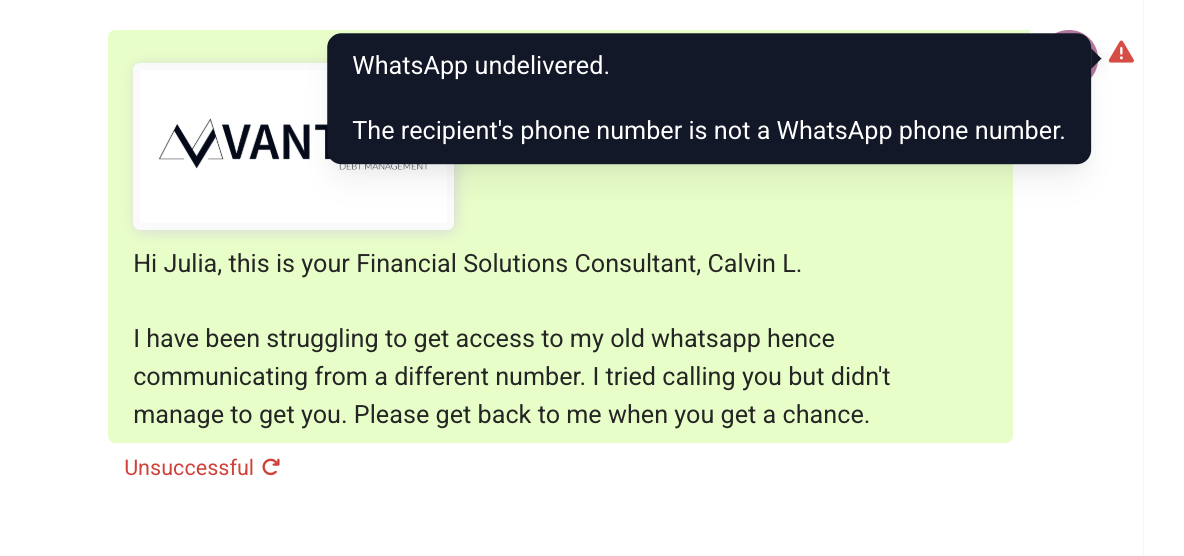
When a WhatsApp message fails with the reason Message Undeliverable, it's typically due to one of the following:
Phone number doesn't have WhatsApp. If you receive a message undelivered error while sending a WhatsApp message, first check whether the contact number has WhatsApp activated. You can use a tool like this WhatsApp checker to verify.
Marketing template limit.
Short explanation: The user has reached the maximum number of marketing templates allowed in a certain period.
Long explanation: To create high-quality user experiences and maximize marketing template message engagement, Meta may limit the number of marketing template messages a person receives from any business in a given period of time, starting with a small number of conversations that are less likely to be read. This limit is based on the number of marketing template messages a person has already received from any business, and is not related to your business specifically.
Recipient has not accepted WhatsApp's latest Terms of Service and Privacy Policy.
Recipient is using an old WhatsApp version. They must be on the following version or greater:
- Android: 2.21.15.15
- SMBA: 2.21.15.15
- iOS: 2.21.170.4
- SMBI: 2.21.170.4
- KaiOS: 2.2130.10
- Web: 2.2132.6
The customer may have blocked the business phone number.
Solutions
- Create and send a utility template, as there is no limit on utility templates.
- Ask the customer to initiate a conversation by sending a message.
Was this article helpful?
That’s Great!
Thank you for your feedback
Sorry! We couldn't be helpful
Thank you for your feedback
Feedback sent
We appreciate your effort and will try to fix the article