Kollab Mobile App (Beta v2)
The Kollab Mobile App (Beta v2) brings lightning-fast, truly native collaboration to your iOS or Android device—so you can learn, chat, and grow your community without the wait times or crashes of legacy versions.
This guide covers the app's core benefits, setup process, and performance improvements, plus answers to common questions about notifications, offline access, and upcoming features.
Beta v2 is an early-access release available to all users. Features and performance may continue to evolve based on user feedback and testing. Keep auto-updates enabled to receive improvements as they roll out.
What is Kollab Mobile App?
Kollab is HighLevel's native mobile application for Communities, Courses, Events, and Chats. Re-engineered from the ground up, Beta v2 replaces the legacy hybrid build with a fully native experience that launches in under two seconds, streams media through HighLevel's Media Core platform, and delivers real-time notifications you can trust.
Available for both iOS and Android, the app provides seamless access to your learning and community spaces wherever you are, with performance and stability that match the best native mobile experiences.
Key Benefits of Kollab Mobile App
Beta v2 represents a complete rebuild focused on speed, reliability, and user experience. The native architecture delivers performance improvements across every dimension of the app.
Instant & Reliable Notifications
Timely, actionable push notifications keep you looped in on new messages, comments, enrollments, and more—so you can engage at the right moment without being overwhelmed by noise.
Fine-grained toggle controls in the app's Settings allow you to decide exactly which alert types you want to receive, ensuring notifications remain relevant and valuable.
Native Speed & Performance
Because the app is written natively for both iOS and Android, every tap, swipe, and navigation feels immediate. Initial load times average 1.5–2 seconds (down from 20), while background caching keeps content pre-fetched for even faster subsequent opens.
Scrolling runs at a consistent 60 frames per second, eliminating the lag and stuttering common in hybrid or web-based mobile experiences.
Intuitive Navigation
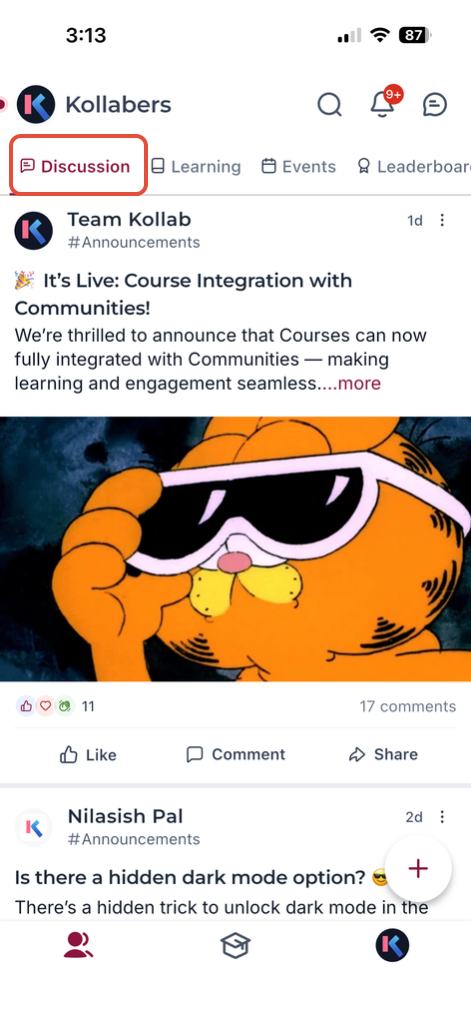
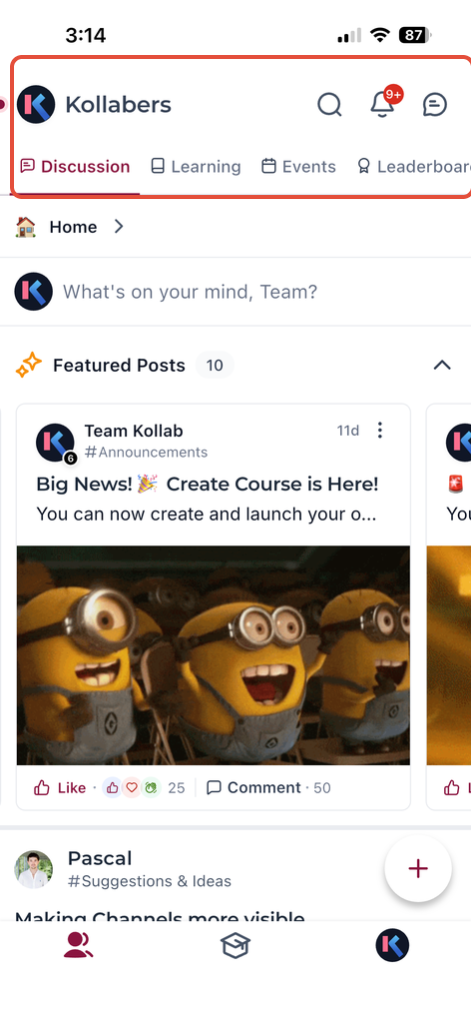
A bottom-tab architecture lets you hop between Courses, Communities, Events, and Chats with zero clunky redirects. The flow-first design keeps you immersed in your content without navigational friction.
Deep-link support, planned for an upcoming release, will drop you directly into the right screen from an email or web link, further streamlining your workflow.
Enhanced Media with Media Core
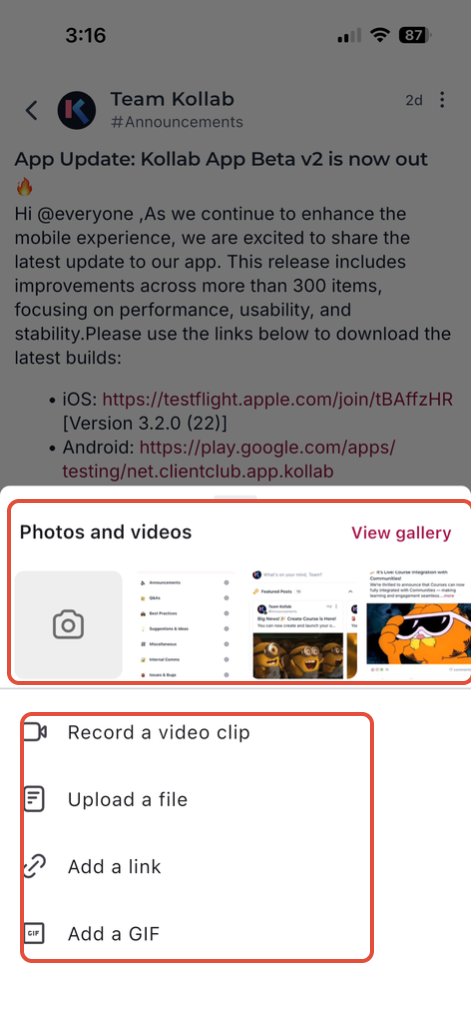
HD images and videos are streamed through HighLevel's Media Core, delivering crisp visuals without buffering. Adaptive bit-rate streaming ensures content looks great on any connection speed, from Wi-Fi to cellular.
The Media Core integration replaces the legacy media pipeline, significantly reducing load times and improving playback reliability across devices.
Stability & Continuous Beta Testing
Every public build is validated by real beta testers before release, resulting in a 98% crash-free rate and dramatically fewer "hot-fix" updates. The streamlined testing process ensures that mobile updates take half the time to perfect compared to the legacy app, so you receive polished, stable features faster.
How to Set Up Kollab Mobile App
A native install ensures you get the best performance and notification reliability. Follow these steps to get started:
iOS: Open the Apple App Store, search for "Kollab by LeadConnector," then tap Download.
Android: Open Google Play Store, search for "Kollab by LeadConnector," then tap Install.
Use the same email and password (or OTP) you use for your HighLevel account or Community access. If you belong to multiple domains, you'll be prompted to choose the domain you want to enter.
When prompted, allow notifications to receive real-time alerts for chats, posts, comments, and course updates.
Open Settings › Notifications inside the app to choose which alert types you want to receive.
Navigate between Courses, Communities, Events, and Chats using the bottom-tab menu to start learning and engaging.
Enable auto-updates via the App Store or Play Store to receive the latest performance improvements and feature rollouts.
You're all set! Start engaging with your Communities, Courses, Events, and Chats from your mobile device.
Frequently Asked Questions
Was this article helpful?
That’s Great!
Thank you for your feedback
Sorry! We couldn't be helpful
Thank you for your feedback
Feedback sent
We appreciate your effort and will try to fix the article