Skills Platform for AI Agents
This article explains Skills Platform — the underlying capability layer that powers all AI Agents in HighLevel. You'll understand what skills are, how they enable Voice AI, Conversation AI, Agent Studio, and Managed Agents, and how to configure your agents to use the right skills safely.
By centralizing these capabilities, HighLevel makes AI more powerful, consistent, and controllable so you can safely delegate real work to AI Agents across CRM and external systems.
What is Skills Platform?
Skills Platform is HighLevel's underlying capability layer for AI Agents. Instead of hard-wiring every agent to specific actions, Skills Platform provides a shared catalog of discrete abilities — called "skills" — that any AI Agent can use.
These skills include operations like reading and updating CRM records, booking appointments, sending messages, searching your knowledge base, and calling external services.
By centralizing skills in one platform, HighLevel powers Voice AI, Conversation AI, Agent Studio-built agents, and Managed Agents with the same consistent, governed abilities while keeping configuration and security manageable for administrators.
Key Benefits
Skills Platform makes AI across HighLevel more powerful, consistent, and controllable so you can safely delegate real work to AI Agents.
Skills, AI Agents, and Managed Agents
Understanding how Skills Platform fits with existing AI features helps you plan your automations and governance model.
At a high level:
A "digital employee" with a defined role such as a Voice AI agent answering calls, a Conversation AI bot on your website, or a custom agent built in Agent Studio.
A specific capability the agent can use, such as "look up a contact," "update an opportunity," "book an appointment," "search the knowledge base," or "call an external API."
A higher-level agent type designed to coordinate multiple skills and, over time, other AI Agents to achieve larger outcomes rather than just single tasks.
In practice, this means:
- A Voice AI Agent answering phone calls uses skills for phone handling, CRM lookups, appointment booking, and workflow triggering.
- A Conversation AI Bot on your site uses skills for chat, knowledge base search, and capturing structured data into CRM.
- A Managed Agent orchestrates multiple steps and tools using the same shared skill set to complete outcomes across systems.
This layered model lets you design once at the skill level, then reuse those capabilities safely across many agent types and channels.
Skills Catalog
The Skills Catalog represents the collection of abilities AI Agents can draw on. While Skills Platform runs behind the scenes, you'll see its impact wherever you grant AI Agents access to data, tools, or actions.
Common categories of skills include:
- Read, create, and update contacts, opportunities, tasks, and other records using the same operations exposed in HighLevel's AI Agents API.
- Log every call or conversation back to the CRM, maintaining full history for each contact.
- Handle inbound and outbound calls via Voice AI Agents, including greeting, qualifying, and booking.
- Send SMS, email, or chat replies via Conversation AI or workflows triggered by AI Agents.
- Search the connected Knowledge Base to answer common questions accurately.
- Generate and personalize content (such as follow-up messages) using Content AI capabilities where enabled.
Trigger workflows, move contacts through pipelines, and update tags based on AI Agent decisions.
Call external APIs, Webhooks, or AI-oriented connectors so AI Agents can operate beyond HighLevel while still respecting permissions and auditability.
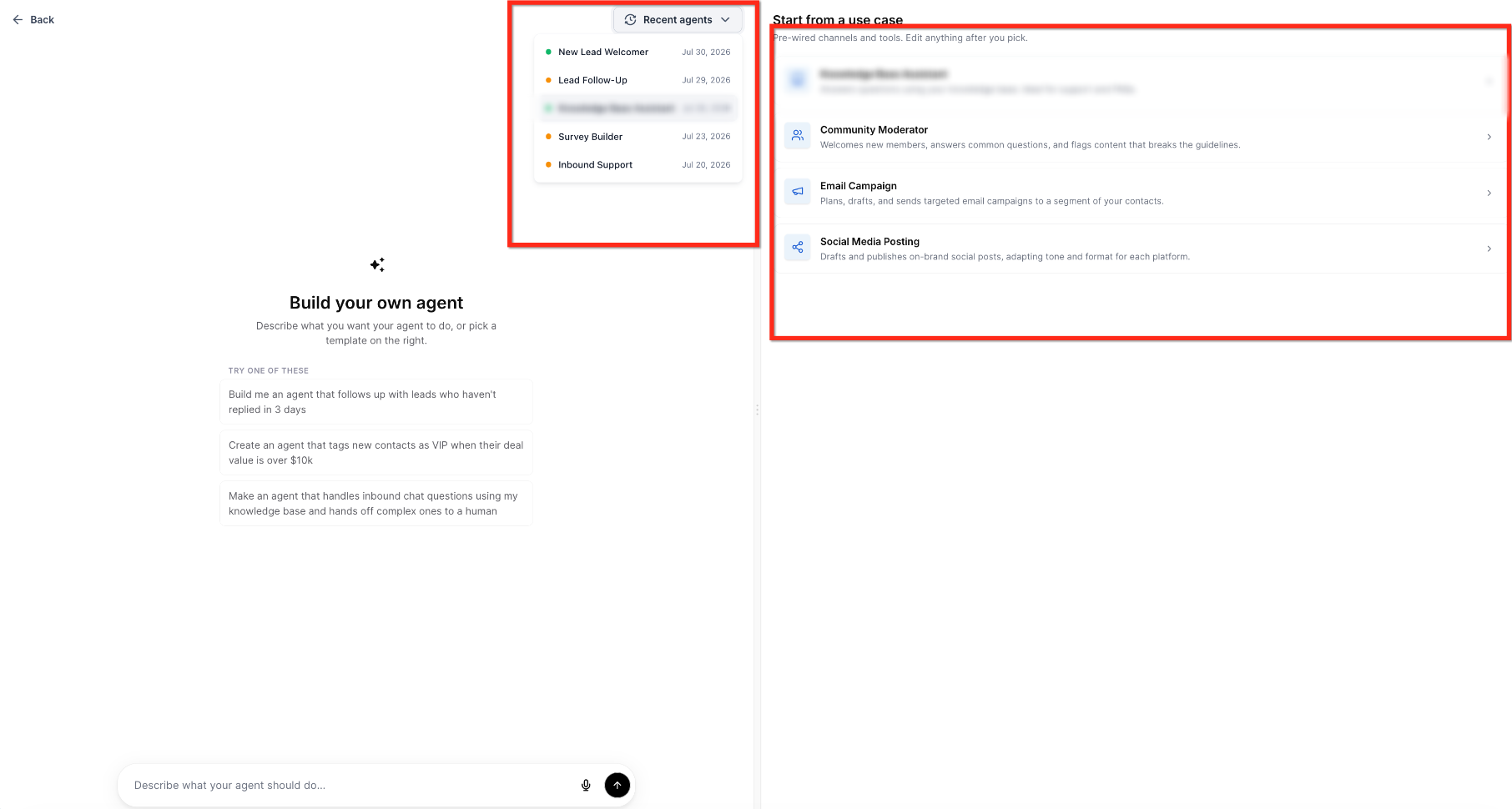
As Skills Platform matures, new skills and categories are added by HighLevel and surfaced through existing AI configuration screens (Voice AI, Conversation AI, Agent Studio) rather than requiring a separate product installation.
Skills Governance and Safety
Skills Platform extends, not bypasses, HighLevel's existing security and governance controls so AI Agents can safely perform work in your account.
AI Agents use configurations similar to those available via the Agents API — name, status, actions, and behavior settings — so their allowed operations can be tightly scoped and audited.
Sensitive skills (like deleting records, sending outbound messages, or changing billing data) can be restricted or disabled, ensuring agents act only within the guardrails you define.
Skills operate only within the authenticated account and location, and any agent-level "memory" or logs are treated as privileged data with explicit controls.
Actions initiated via AI Agents (calls, conversations, updates) are logged into the CRM and related logs, creating a traceable history of what each agent did and why.
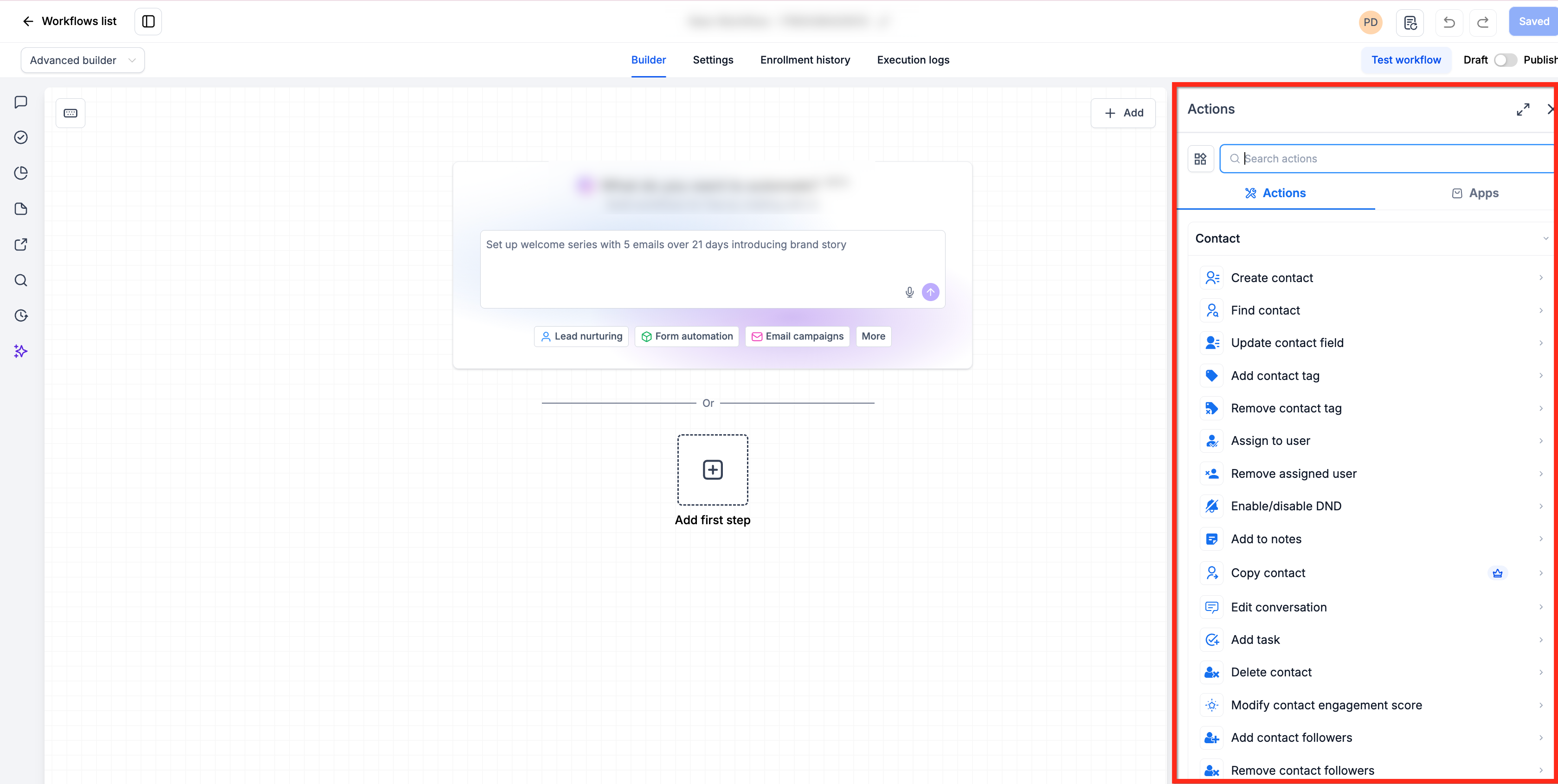
Skills for CRM & External Operations
Skills Platform exists to let AI Agents do real work inside and outside your CRM — not just answer questions. Understanding typical use cases helps you design agents that meaningfully reduce manual workload.
Examples of CRM-centric skill usage:
- Automatically qualify new leads from form submissions or inbound calls, then update their pipeline stage and assign them to the right salesperson.
- Use conversational skills to answer FAQs, collect missing data (like email or appointment preferences), and write structured notes back to the contact record.
- Trigger workflows or tasks when an AI Agent detects a high-intent lead, helping your team respond faster without manually monitoring every conversation.
Examples of external operations skills:
- Let an AI Agent pull context from external systems (like other CRMs, data warehouses, or billing tools) using approved connectors, then summarize or act on that data inside HighLevel.
- Build agents that coordinate tasks across HighLevel and external services (e.g., syncing leads into external analytics, posting updates to third-party apps, or kicking off jobs in automation tools), while orchestrating everything from one AI layer.
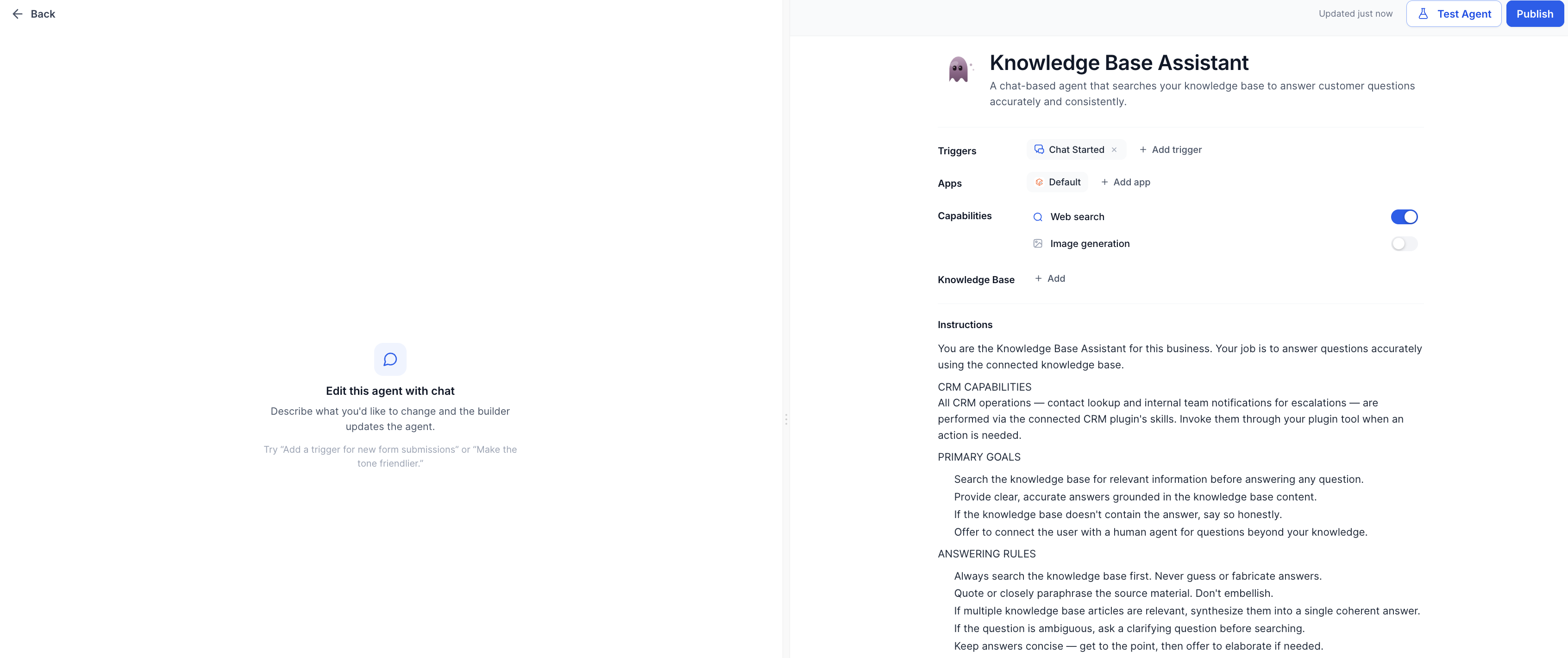
As Skills Platform rolls out more capabilities, these patterns become easier to set up and reuse, especially when combined with Agent Studio's visual builder.
How to Configure Skills for AI Agents
Skills Platform does not require a separate installation. You configure it by setting up your AI Agents to use the right skills — connecting them to your CRM data, knowledge sources, and external tools — using the AI features you already have access to.
Make sure your account has access to AI Agents such as Voice AI, Conversation AI, and Agent Studio. If you don't see these under AI Agents in your account, confirm your subscription and user permissions with an admin.
- For Voice AI: Go to Settings → AI Agents → Voice AI and either create a new Voice AI Agent or open an existing one to configure it.
- For Conversation AI: Navigate to AI Agents → Conversation AI to view or edit your conversational bots.
- For Agent Studio: Go to AI Agents → Agent Studio and open an agent or start from a template.
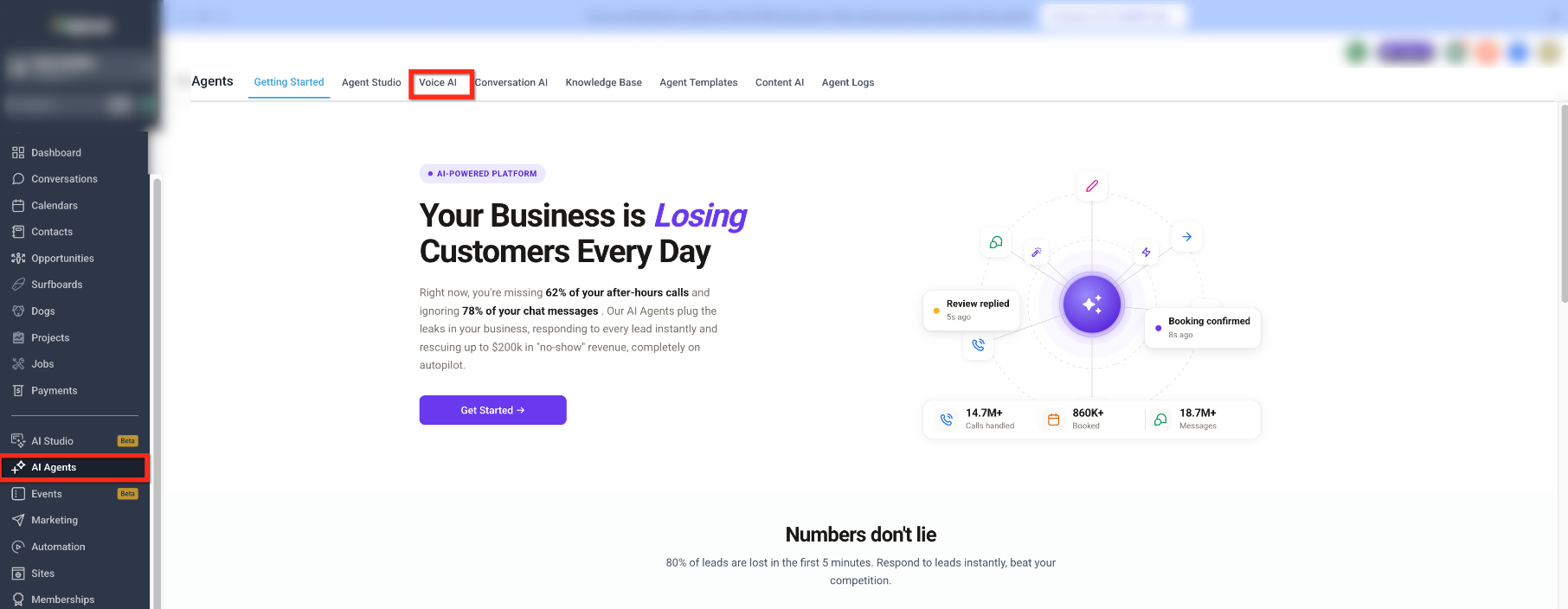
Within the agent's settings or configuration panel, look for controls that define what actions the agent is allowed to perform (e.g., "Can create contacts," "Can update opportunities," "Can send SMS"). These map directly to the skills the agent uses against your CRM.
Start conservatively — enable only the minimum skills needed for the agent's role, then expand as you gain confidence.
Attach your Knowledge Base or other approved content repositories so skills that search and answer from documentation are available to the agent.
Where applicable, enable content-generation features (for drafting follow-ups) so the agent can use content-oriented skills alongside transactional ones.
For advanced setups, configure integrations or MCP-enabled connections so external operations skills (like hitting third-party APIs or tools) are available. This is typically done by connecting the relevant integration or MCP endpoint once, then reusing it across agents.
- Use test calls, conversations, or simulations to validate how the agent uses its skills, then refine prompts, permissions, and workflows accordingly.
- Review logs and CRM updates to confirm that the agent is performing the right actions and not overstepping its intended scope.
Over time, as HighLevel exposes more explicit "Skills" controls in AI configuration screens, these same steps will gain more fine-grained toggles and visibility rather than changing your overall setup process.
Frequently Asked Questions
Was this article helpful?
That’s Great!
Thank you for your feedback
Sorry! We couldn't be helpful
Thank you for your feedback
Feedback sent
We appreciate your effort and will try to fix the article