Understanding Official Business Accounts (OBA)
How to request one, what notability means, and what happens if a request is denied
Table of Contents
Requesting an Official Business Account
Here's how to submit a request for Official Business Account (OBA) status.
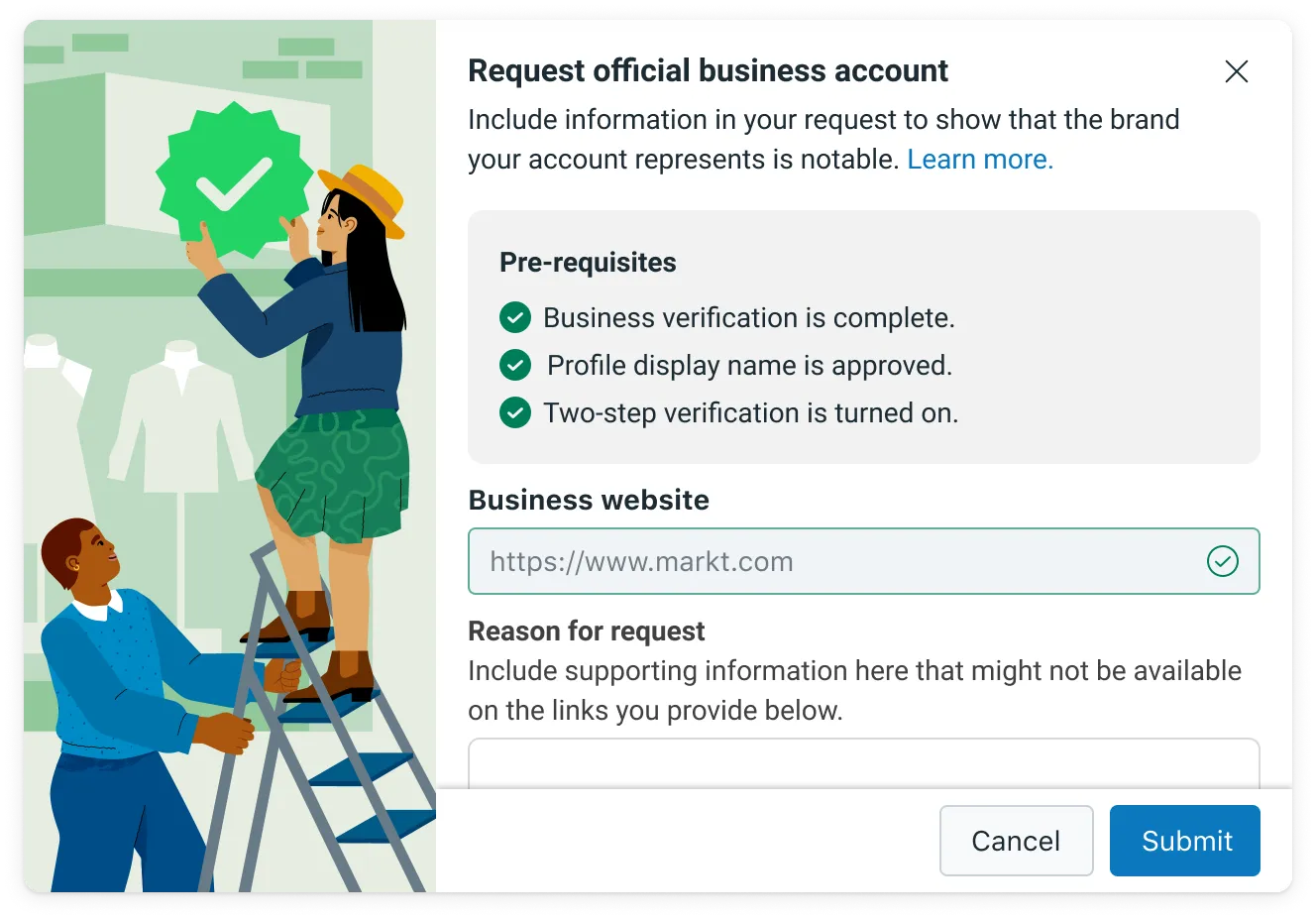
Open WhatsApp Manager from your Business Manager. In the Overview section, select the phone number you'd like to apply for OBA.
Turn on two-step verification for that number — this is required before you can apply for OBA. Both Business Verification and Display Name approval must already be complete before you submit an OBA request.
- Haven't set up two-step verification yet? Follow Meta's Two-Step Verification guide.
- Haven't completed Business Verification yet? See Meta's Verify Your Business guide.
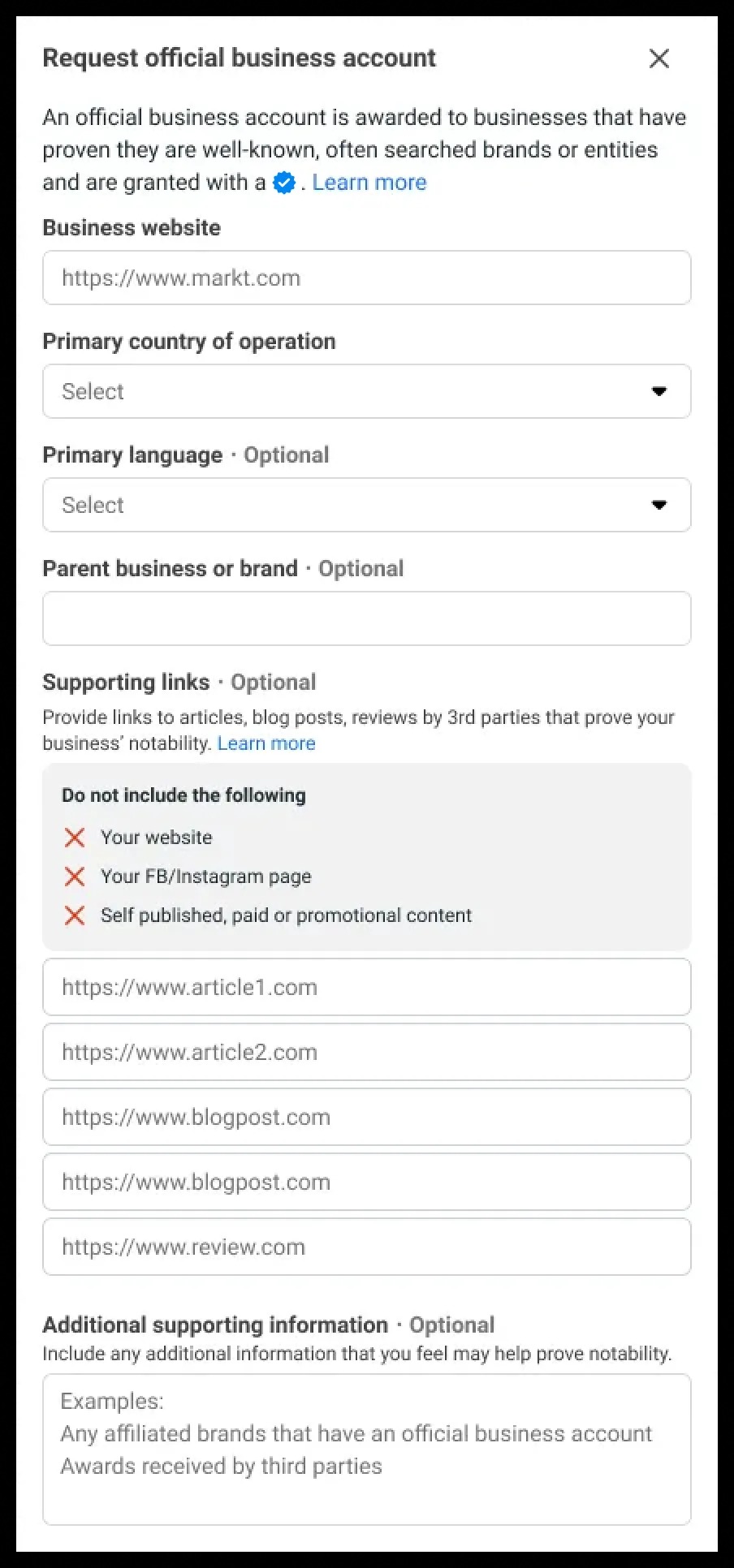
Click Submit Request and complete the form.
- You can attach up to five supporting links, ideally from well-known publications (for example, India Today, The Economic Times, The Wall Street Journal, Reuters, Wikipedia, or Business Insider). These help Meta gauge how recognizable your brand is.
- Details like the countries you operate in, any parent brand you're affiliated with, and your primary language also help Meta evaluate your eligibility.
After Meta reviews the request, you'll be notified whether OBA status was granted. If it's turned down, you're able to submit a new request 30 days later.
Note: OBA status is not granted to employee accounts, test accounts, or WhatsApp Business App accounts. It's currently reserved for WhatsApp Business Platform users, since Business App accounts don't go through Business Verification.
Understanding Notability
Notability means a business represents a brand or entity that's widely recognized and frequently searched for — it isn't a measure of how legitimate or genuine the business is.
Instead, notability is judged by how much a business shows up in online news coverage from outlets with a meaningful readership. Paid placements, sponsored content, and business or app directory listings aren't counted toward this assessment.
OBA status is tied to a specific phone number and display name combination. Meta evaluates the notability of the exact display name applying for OBA — so if that display name changes afterward, the new name has to be reassessed both for notability and for display name compliance.
Getting OBA approval for one number in a WhatsApp Business Account doesn't automatically extend it to other numbers under the same account that use different display names. If your account has one recognized parent brand and its number qualifies for notability, a good approach for related sub-brand numbers is a display name formatted as "{{sub-brand name}} by {{notable name}}."
Denied Requests
A denied OBA request means Meta's team reviewed the account thoroughly and determined it doesn't currently qualify. These decisions can't be appealed at this time.
Businesses are welcome to keep building their public presence and try again after 30 days. Establishing enough news coverage to meet the notability bar described above can take time.
A denial doesn't restrict how much you can share about your business in the meantime. Every phone number has its own business profile — profile photo, email, website, and description — and you're free to update these whenever you like as you keep growing your reach on WhatsApp.
Types of Business Accounts
WhatsApp recognizes two kinds of business accounts:
| Type | What it means |
|---|---|
| Business Account | Any account on the WhatsApp Business Platform or the WhatsApp Business App is automatically a business account. Meta checks the authenticity of every Business Platform account, and once Business Verification is complete, the business's name is displayed even to people who haven't saved the number as a contact. |
| Official Business Account | Displays a blue checkmark badge on the profile and in chat headers. See Meta's Official Business Account documentation for details. |
Business Account & Verification
For a standard business account, the display name only appears in small text in a contact's saved-contact view — everywhere else shows the phone number instead, unless the business has completed Business Verification, in which case the display name shows up everywhere. Filling out your business info — website, address, hours — helps customers learn more about you regardless of verification status.

Business Verification
Businesses can begin messaging customers right away without completing verification first. Verification only becomes necessary once you're ready to scale up marketing, utility, or authentication conversations, apply for Official Business Account status, or have your business phone number's display name show up inside the WhatsApp app. You can find the verification steps in Meta's Business Verification guide.
For a broader walkthrough, see Meta's guide to starting customer messaging on the WhatsApp Business Platform.

Was this article helpful?
That’s Great!
Thank you for your feedback
Sorry! We couldn't be helpful
Thank you for your feedback
Feedback sent
We appreciate your effort and will try to fix the article