What to Do When Your Business Account Has Been Locked
Steps to appeal a locked Meta Business Account due to a policy violation, verification failure, or suspicious activity.
What to Do When Business Account Has Been Locked
If your Meta Business Account has been locked, it's likely due to a policy violation, verification failure, or suspicious activity. Here's what you can do:
Submit an Appeal via Meta Business Manager
Go to the Account Quality Dashboard.
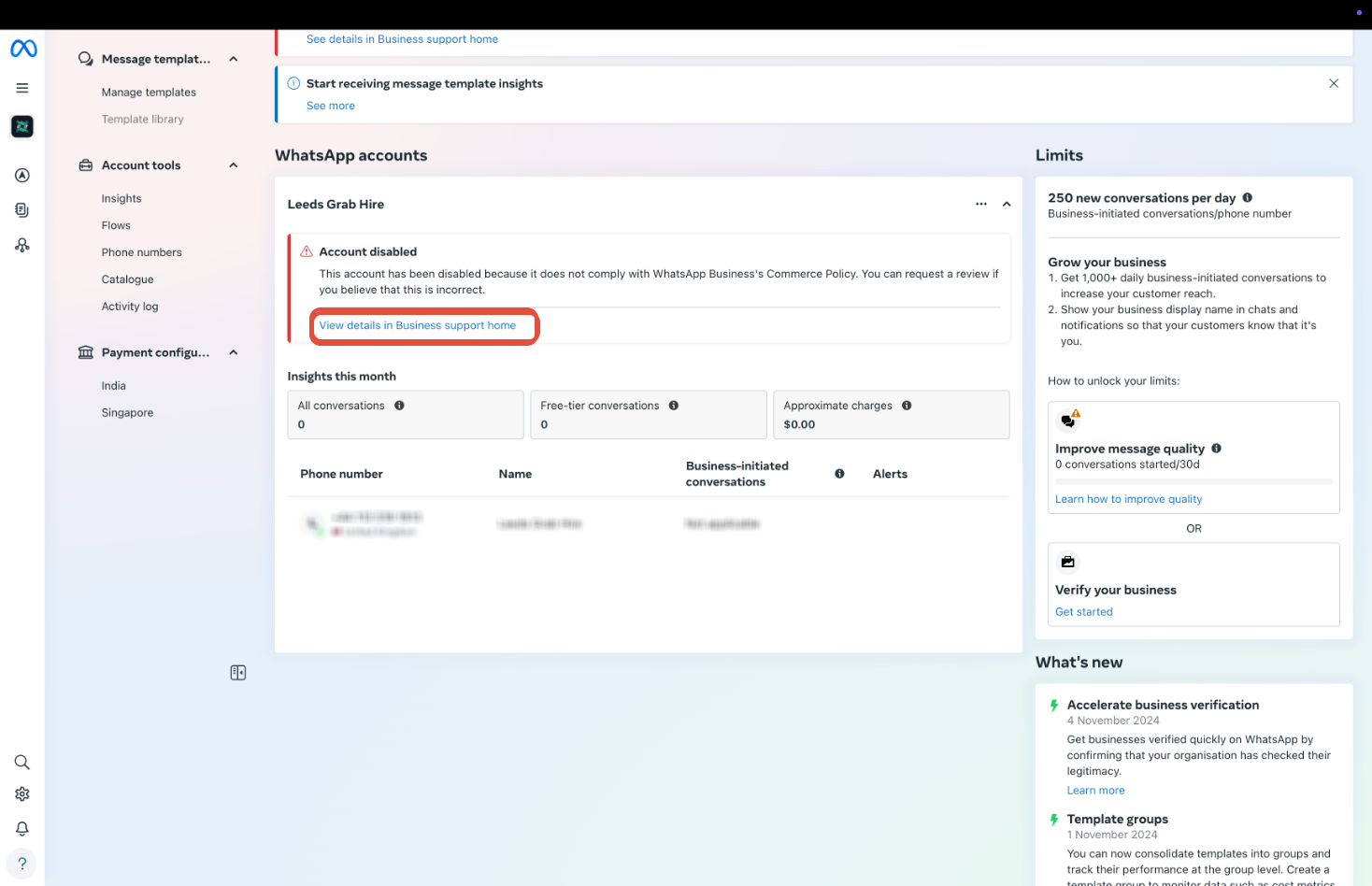
Select the banned account or asset — click on the relevant business asset flagged by Meta.
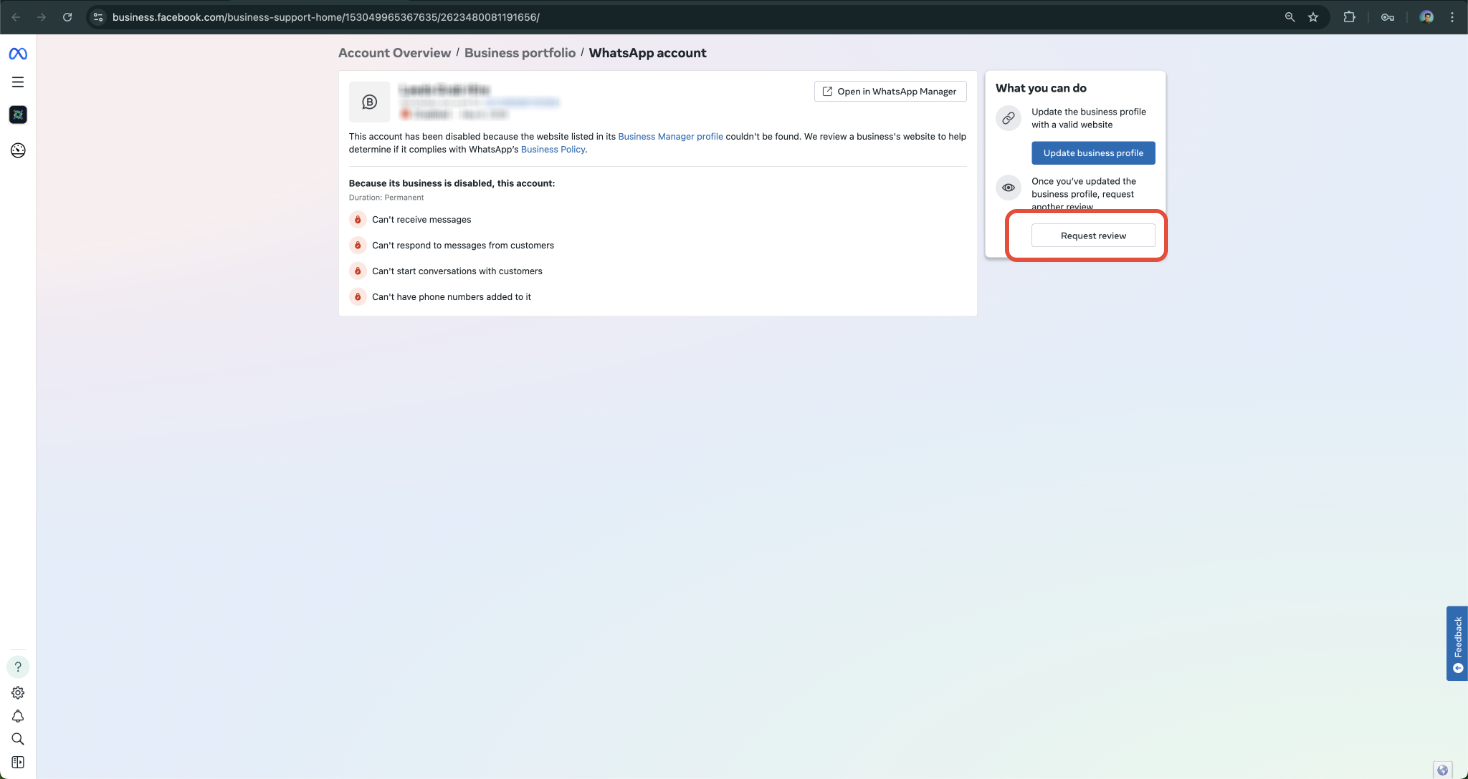
Click "View Details" and proceed to "Request Review" if the option is available.
Click on Request Review
Provide Required Documentation
During the appeal process, Meta may ask you to submit the following:
- Valid business verification documents (e.g., government-issued license, tax ID, utility bill)
- Proof of ownership for domain names or phone numbers
- A clear business use case explanation (what your business does and how you use Meta platforms)
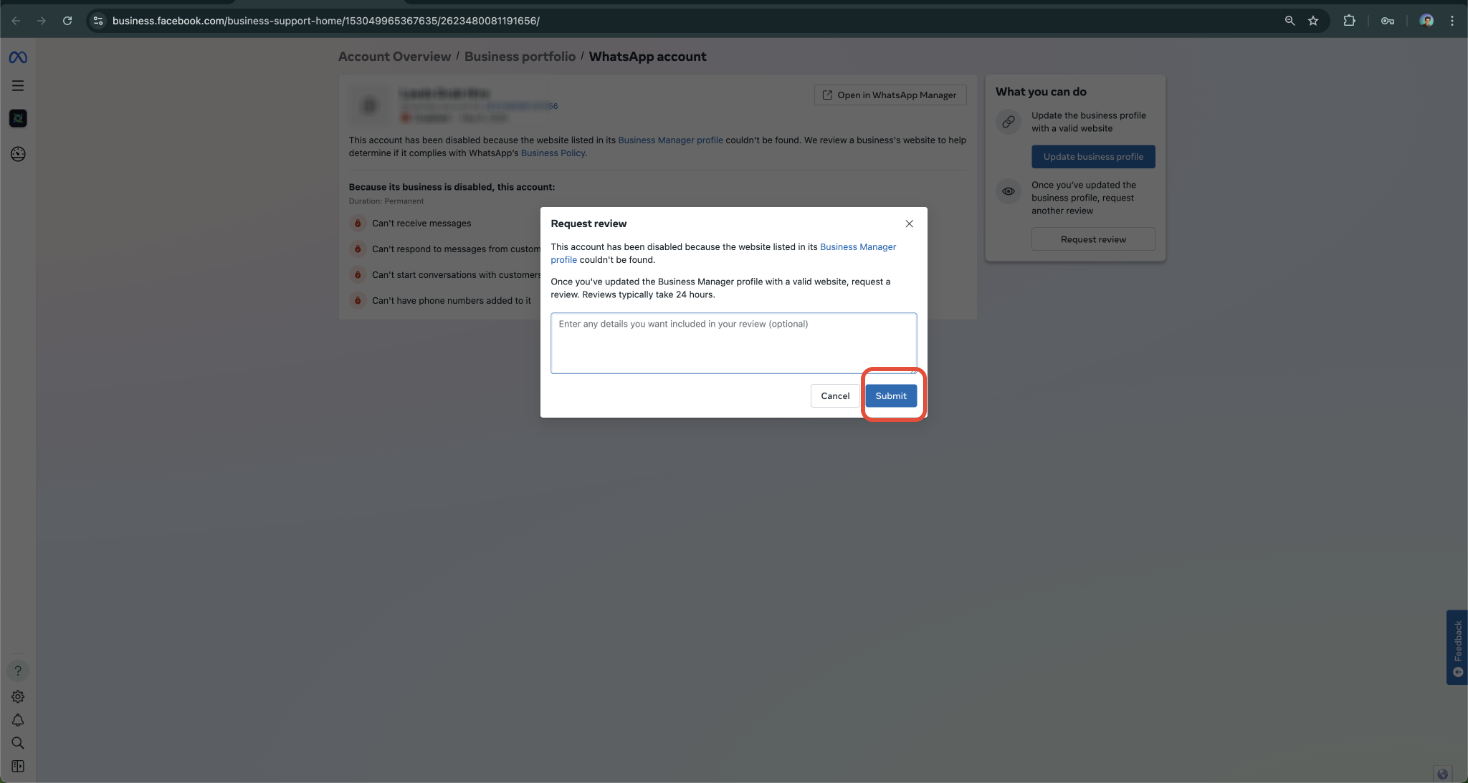
Appeal Template to Submit to Meta
Dear Meta Business Support Team,
I am reaching out to appeal the recent restriction or lock placed on our WhatsApp Business account. Our business is committed to complying with all Meta and WhatsApp Business policies, and we believe this action may have been applied in error or due to a misunderstanding.
Please find below the details of our account:
- Business Name: [Your Business Name]
- Business Manager ID: [Your Business Manager ID]
- WhatsApp Phone Number: [Your WhatsApp Business Number]
- WABA ID (if known): [Your WhatsApp Business Account ID]
- Website of the Business: [Your Website of the Business]
We kindly request a thorough review of our account. If there are any specific actions required on our part to resolve this issue or verify compliance, we are happy to cooperate fully.
Thank you for your time and support. We look forward to resolving this matter quickly.
Wait for Meta's Response
- Most appeals are reviewed within a few business days.
- Avoid submitting multiple appeals, as this can delay the review process.
Pro Tips to Prevent Future Blocks
- Complete business verification.
- Avoid sending unsolicited messages or spam via the WhatsApp API.
- Use only approved templates for outbound messages.
- Maintain a good quality rating in WhatsApp Manager.
Sample Appeal Message Prompt (You Can Use This)
Hello Meta Support,
My Business Manager account (ID: [your business ID]) was recently blocked. I believe this may have been a misunderstanding or a verification issue.
I am requesting a review and would be happy to provide any supporting documentation required (e.g., business license, domain ownership, utility bills).
My intention is to fully comply with Meta's policies and use the platform responsibly.
Kindly assist me in resolving this.
Thank you,
[Your Full Name]
[Business Name]
[Contact Email]
Frequently Asked Questions (FAQ)
Q: Why was my Meta Business Account blocked?
Meta may block accounts due to failed business verification, policy violations (e.g., sending spam), suspicious activity, or incomplete documentation. You can view the exact reason in the Account Quality Center.
Q: How long does Meta take to review my appeal?
Most appeals are reviewed within a few business days. Avoid submitting multiple appeals, as this can delay the review process.
Q: Will my WhatsApp templates, number, or account data be lost during a block?
No. Blocking affects business account access but not the data itself. Once reinstated, your WhatsApp setup and templates remain intact.
Was this article helpful?
That’s Great!
Thank you for your feedback
Sorry! We couldn't be helpful
Thank you for your feedback
Feedback sent
We appreciate your effort and will try to fix the article