WhatsApp Number Stuck in "Pending" Status
What to do when a WhatsApp number remains pending for a week or more
1. Issue Summary
The client's WhatsApp number has remained in a pending state for seven days or longer after being connected to the CRM, instead of moving to a connected/active state.
2. Affected Feature
WhatsApp Business number registration / connection status within the CRM.
3. Root Cause
A WhatsApp number can only be actively registered to one platform or device at a time. Per Meta's official documentation, a number already in active use with WhatsApp (personal app, WhatsApp Business app, or another Business Platform/BSP integration) cannot be newly registered elsewhere unless it is first removed from that existing use.
If the client's number is still logged into WhatsApp on a personal phone, the WhatsApp Business app, or another business messaging platform, the registration request sent from the CRM will not complete, and the number can remain stuck in a pending state indefinitely.
Needs validation from Meta documentation: Meta does not publish an exact timeline for how long a conflicting registration can hold a number in "pending." The one-number-one-platform rule is documented; the specific week-long delay is an operational pattern observed in support, not a stated Meta SLA.
4. Resolution Steps
Ask the client to check every device and platform where this number may still be logged in — personal WhatsApp, WhatsApp Business app, or any other business messaging tool.
Have the client fully disconnect or log out the number from that other device/platform. The number cannot be used in two places at once.
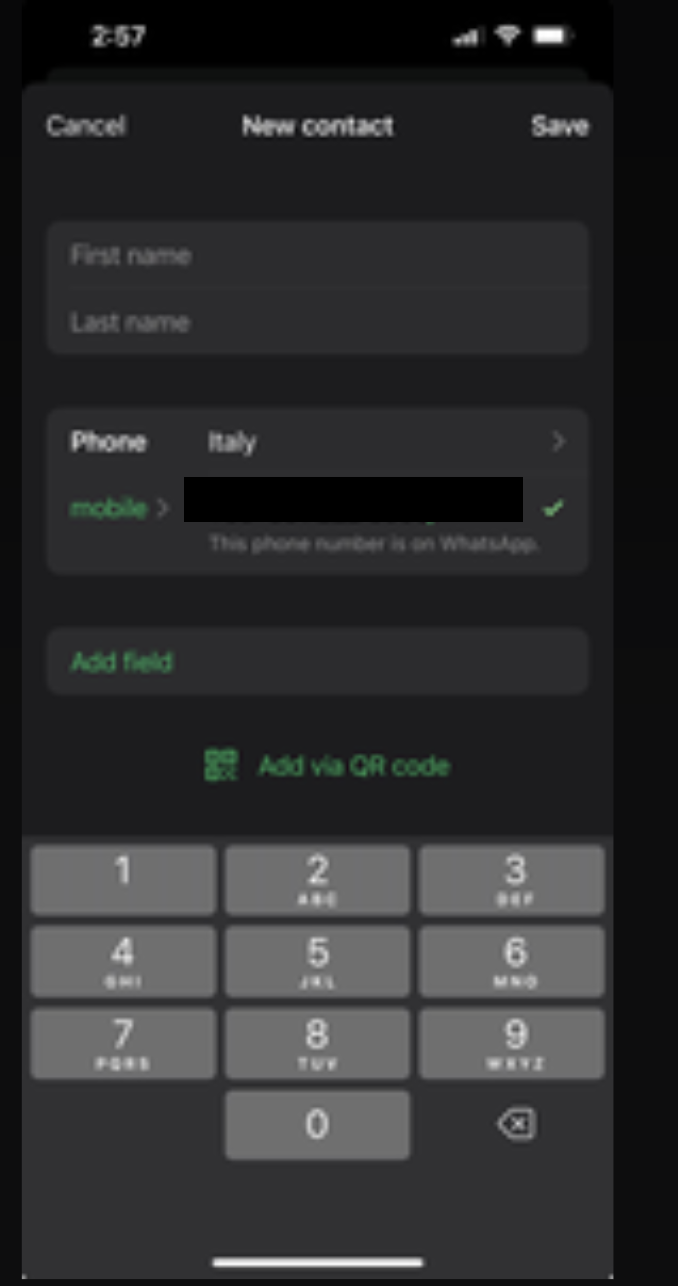
Confirm whether the number is still registered on WhatsApp elsewhere by checking for the indicators shown in the screenshot below.
Once the number is fully released from the other location, retry the WhatsApp connection from the CRM.
5. Expected Behavior
Per Meta's registration flow, once a number is no longer tied to a conflicting device or platform, a fresh registration request from the CRM should be able to complete and move the number from pending to connected status.
6. Notes
Meta limitation: Registration attempts are rate-limited to 10 requests per number in a rolling 72-hour window. Repeated retry attempts while the number is still tied up elsewhere can trigger this limit (error code 133016) and further delay resolution — so it's best to fully disconnect the number from any conflicting platform *before* retrying registration, rather than repeatedly retrying.
Was this article helpful?
That’s Great!
Thank you for your feedback
Sorry! We couldn't be helpful
Thank you for your feedback
Feedback sent
We appreciate your effort and will try to fix the article