We are excited to introduce the new Math calculations feature in forms and surveys, allowing users to add custom fields and set up a Calculator based on the fields in the form or survey.
The Score Editor supports inline cursor edits and Arrow/Home/End navigation for quicker changes. See Inline Cursor Editing (Score Editor) for details.
TABLE OF CONTENTS
What’s New?
- Custom Field - Score:Users can now add a custom field to calculate scores based on their inputs.
- Calculator: Set up math calculation logic using numerical and monetary fields within forms and surveys using the brand new calculator
- Real-time Calculation:Scores are calculated in real-time during form or survey preview.
- Support of Score in conditional logic: Setup logics and workflows based on scores to redirect to url, disqualify, show/hide fields.
Fields supported right now:
- Numerical type fields
- Monetary type fields.
Editing formulas with the cursor
You can place the cursor anywhere in the expression to edit inline. Arrow keys move one character at a time; Home jumps to the start and End jumps to the end. Edits apply exactly at the cursor—no need to clear the entire formula.

How It Works?
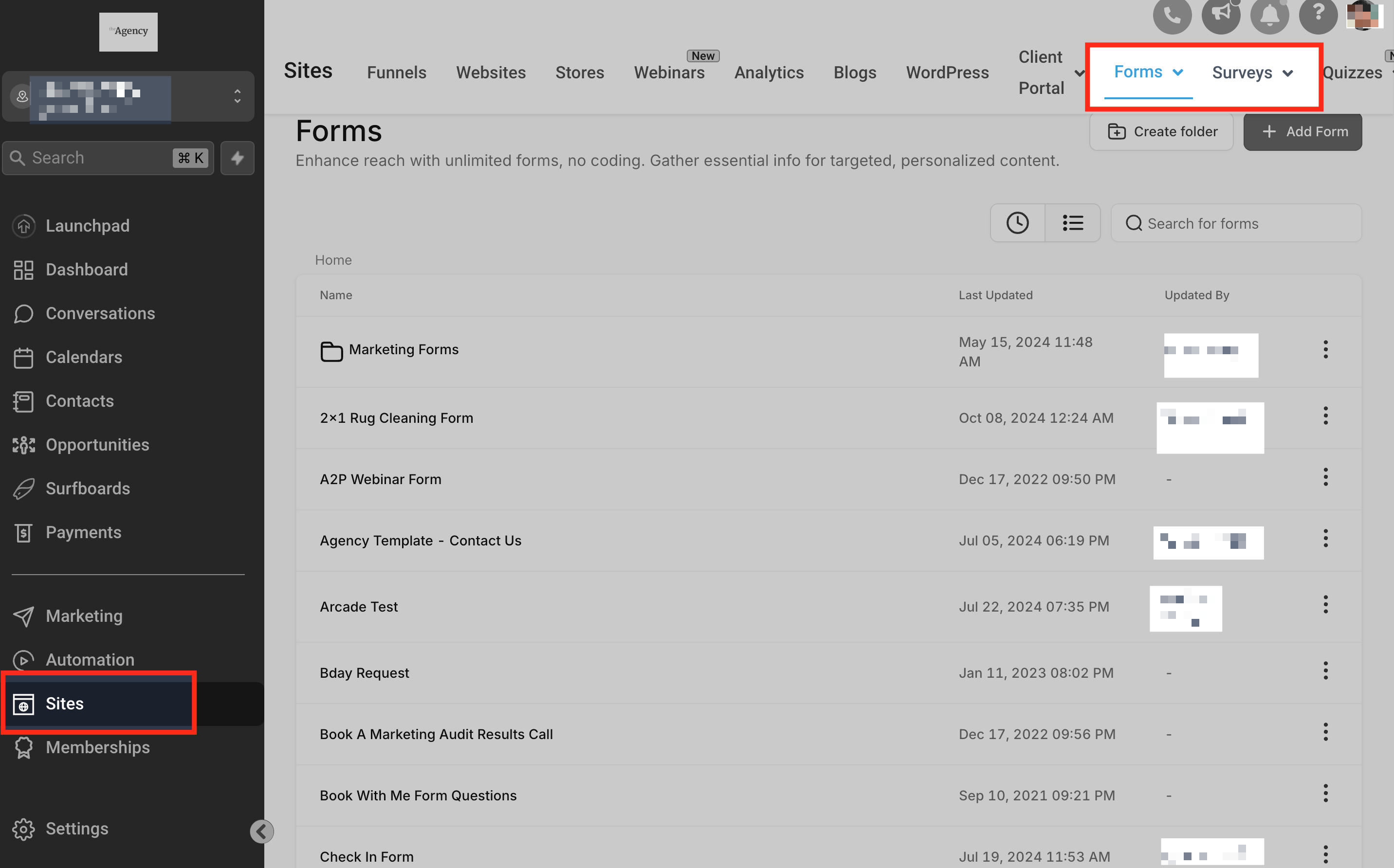
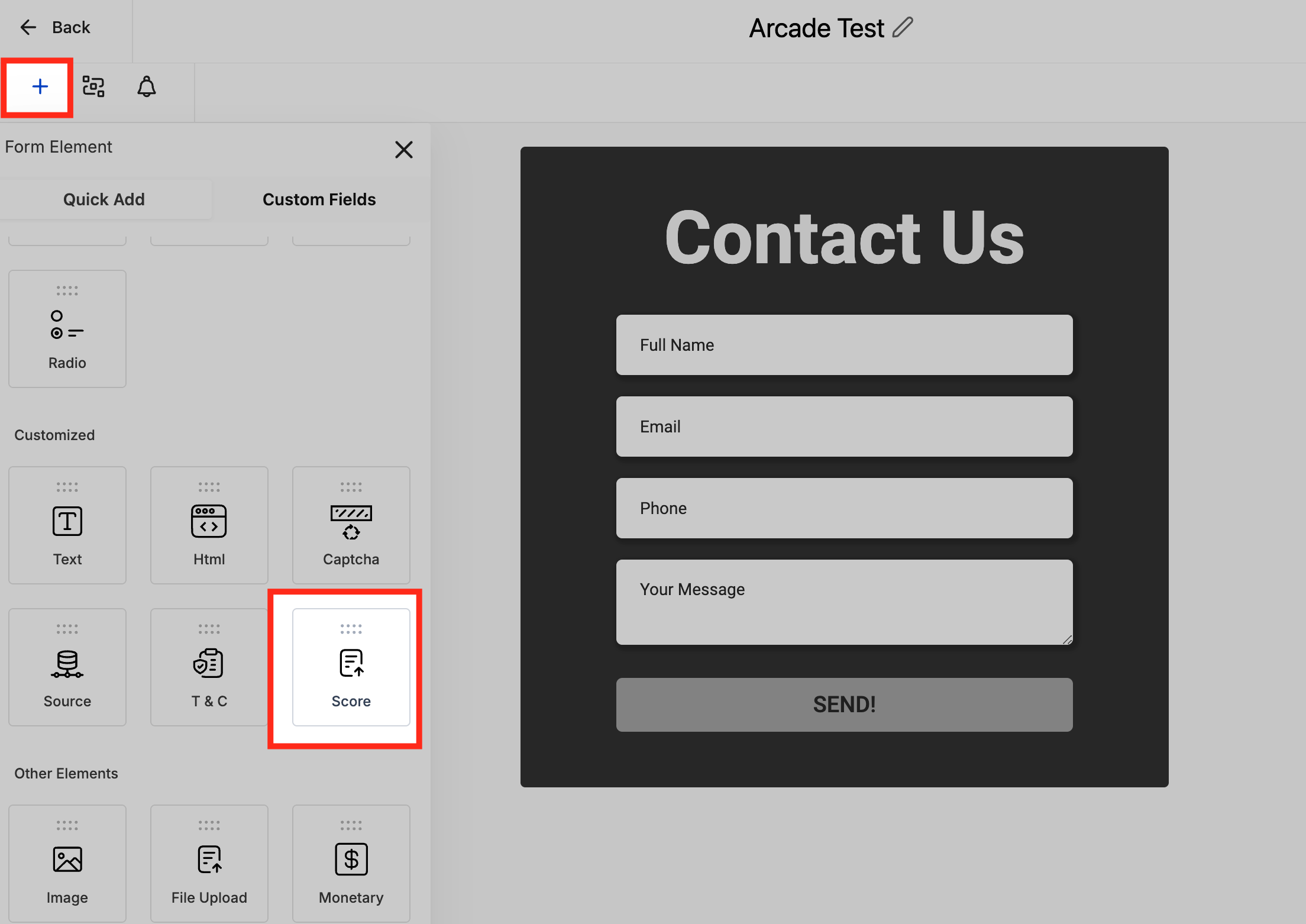
- Adding Custom Field: Navigate to the form or survey builder, drag and drop "Score" field from Quick Add.
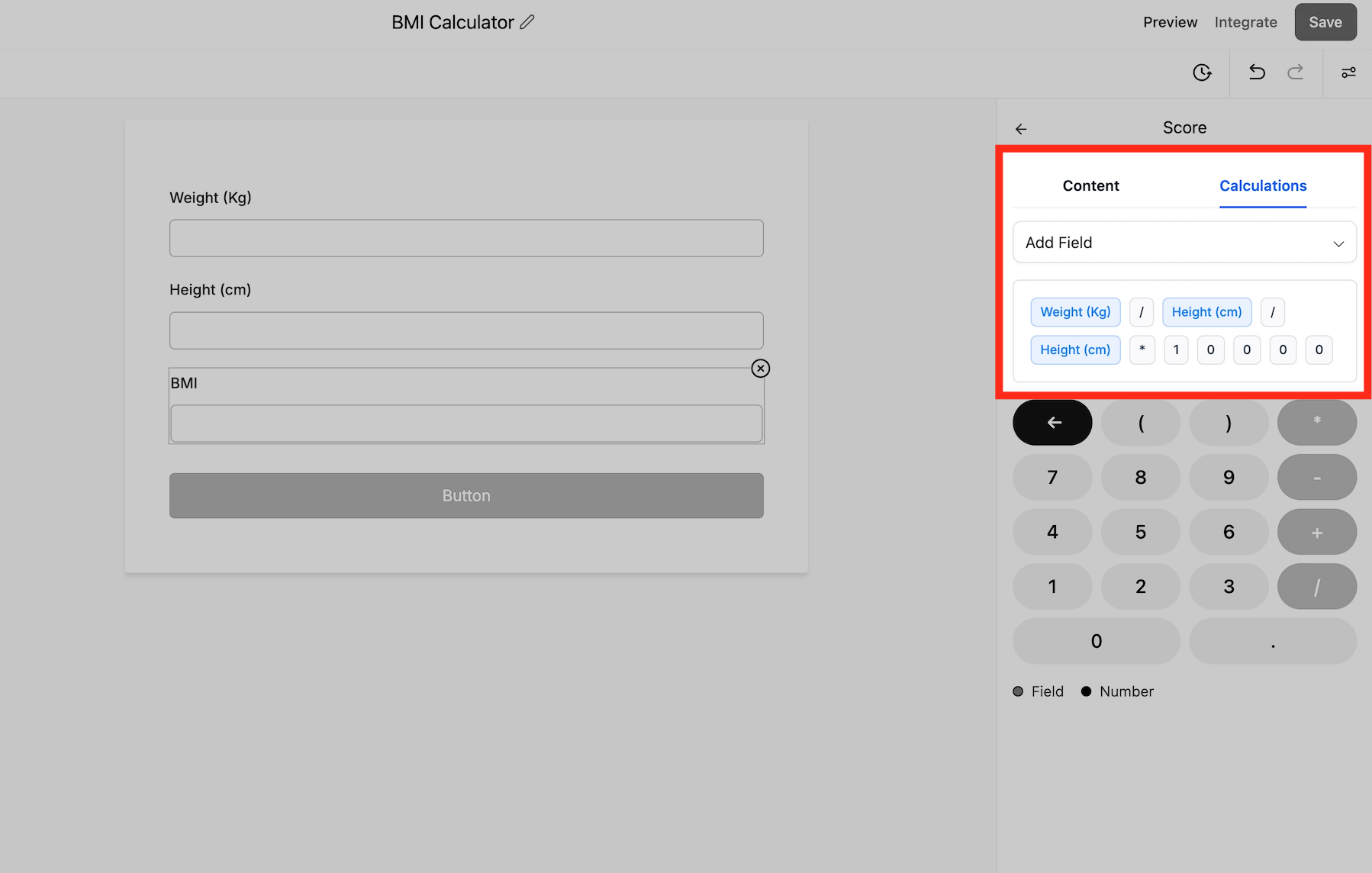
- Setting Up Calculations: Define your calculation logic by selecting the relevant numerical or monetary fields and specifying the calculation rules.
- Previewing: Use the preview mode to see real-time calculations as data is entered.
Why This Feature?
This feature is designed to provide more advanced capabilities for users who need to perform calculations within their forms and surveys. Whether it's for scoring, budgeting, or other purposes, the ability to calculate in real-time enhances the usability and efficiency of forms and surveys.
Was this article helpful?
That’s Great!
Thank you for your feedback
Sorry! We couldn't be helpful
Thank you for your feedback
Feedback sent
We appreciate your effort and will try to fix the article