Automate document workflows in HighLevel with Documents & Contracts Public APIs. These APIs let developers list documents, send existing documents to contacts, retrieve templates, and generate documents from templates without manual work. This makes it easier to sync records, trigger document delivery from external systems, and streamline contract-related processes inside HighLevel. The feature is part of the broader Documents & Contracts experience in HighLevel and is designed for programmatic use.
TABLE OF CONTENTS
- What is Documents & Contracts: Public APIs?
- Key Benefits of Documents & Contracts: Public APIs
- List Documents
- Send Document
- List Templates
- Send Template
- How To Setup Documents & Contracts Public APIs
- Frequently Asked Questions
- Related Articles
What is Documents & Contracts: Public APIs?
Documents & Contracts Public APIs give developers a way to work with document assets in HighLevel through API requests instead of manual actions in the app. They are useful when you need to connect HighLevel with external systems, automate sending from your own workflows, or dynamically create documents from saved templates. These APIs are scoped to the relevant HighLevel location and are best used when your process requires developer-led automation rather than a no-code workflow alone.
Documents & Contracts Public APIs currently support core document workflow actions such as:
Listing documents in a location
Sending an existing document to one or more contacts
Listing templates in a location
Creating and sending a document from a template in a single request
Key Benefits of Documents & Contracts: Public APIs
Documents & Contracts Public APIs help teams reduce manual effort and connect document operations to the rest of their tech stack. They are especially valuable for businesses that want tighter control over when documents are generated, sent, and followed up on.
Automate document delivery: Send documents from external tools, custom apps, or internal systems without manually opening HighLevel.
Use saved templates efficiently: Generate new documents from existing templates in one API call to speed up repeatable processes.
Keep document data in sync: Retrieve document and template lists for reporting, system syncing, or operational visibility.
Support scalable workflows: Connect API-based sends with downstream workflow triggers for reminders, follow-ups, and status-based automation.
Reduce manual errors: Standardize how templates are selected and sent across teams, systems, or client-facing processes.
List Documents
Listing documents helps you retrieve available document records within a specific HighLevel location. This is useful for integrations that need to sync document inventories, display available items in another system, or verify which assets already exist before triggering additional actions.
You can use the List Documents endpoint to:
Retrieve documents available in a location
Support syncing between HighLevel and an external system
Build internal tools that reference existing document records
Reduce duplicate creation by checking what already exists first
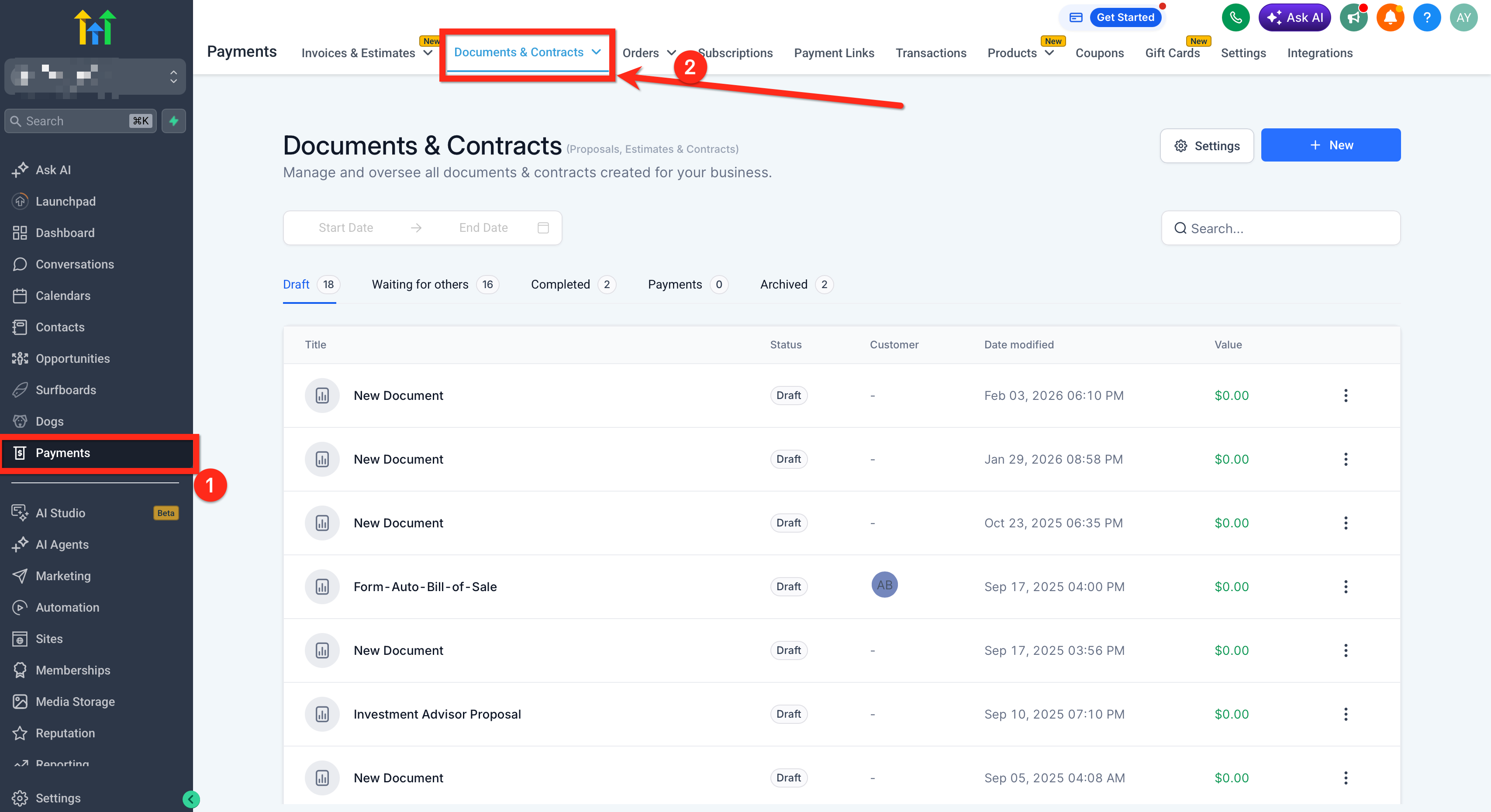
Send Document
Sending an existing document by API is helpful when a document has already been prepared in HighLevel and only needs to be delivered to the right contact at the right time. This supports custom business logic, external application triggers, and developer-driven automation beyond standard workflow actions.
You can use the Send Document endpoint to:
Send a prebuilt document to a contact
Trigger document delivery from an external form, portal, or app
Standardize document sends across custom workflows
Reduce manual handoff steps for sales or onboarding teams
Keep in mind:
The document must already exist in HighLevel before it can be sent
Recipient behavior should follow the capabilities defined in the official API documentation
API-driven sends can be paired with workflow-based follow-up automation after the document is sent or signed
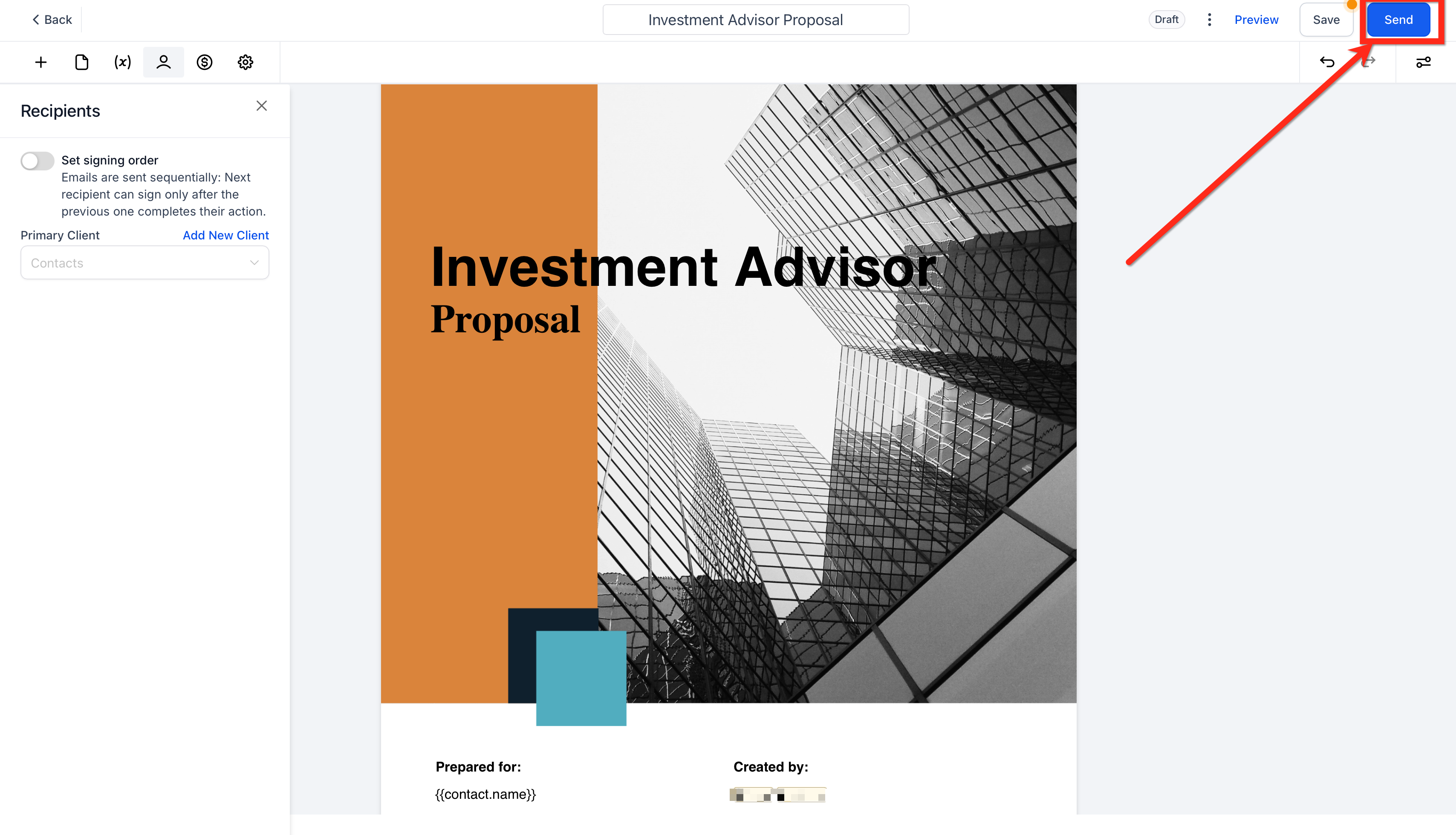
List Templates
Listing templates helps developers retrieve reusable document blueprints that are available in a HighLevel location. This is especially helpful when your external system needs to let users choose from approved templates without rebuilding the same content each time.
You can use the List Templates endpoint to:
Fetch template records available in a location
Populate a template picker in an external app or internal tool
Verify template availability before generating a document
Standardize repeatable document creation across teams
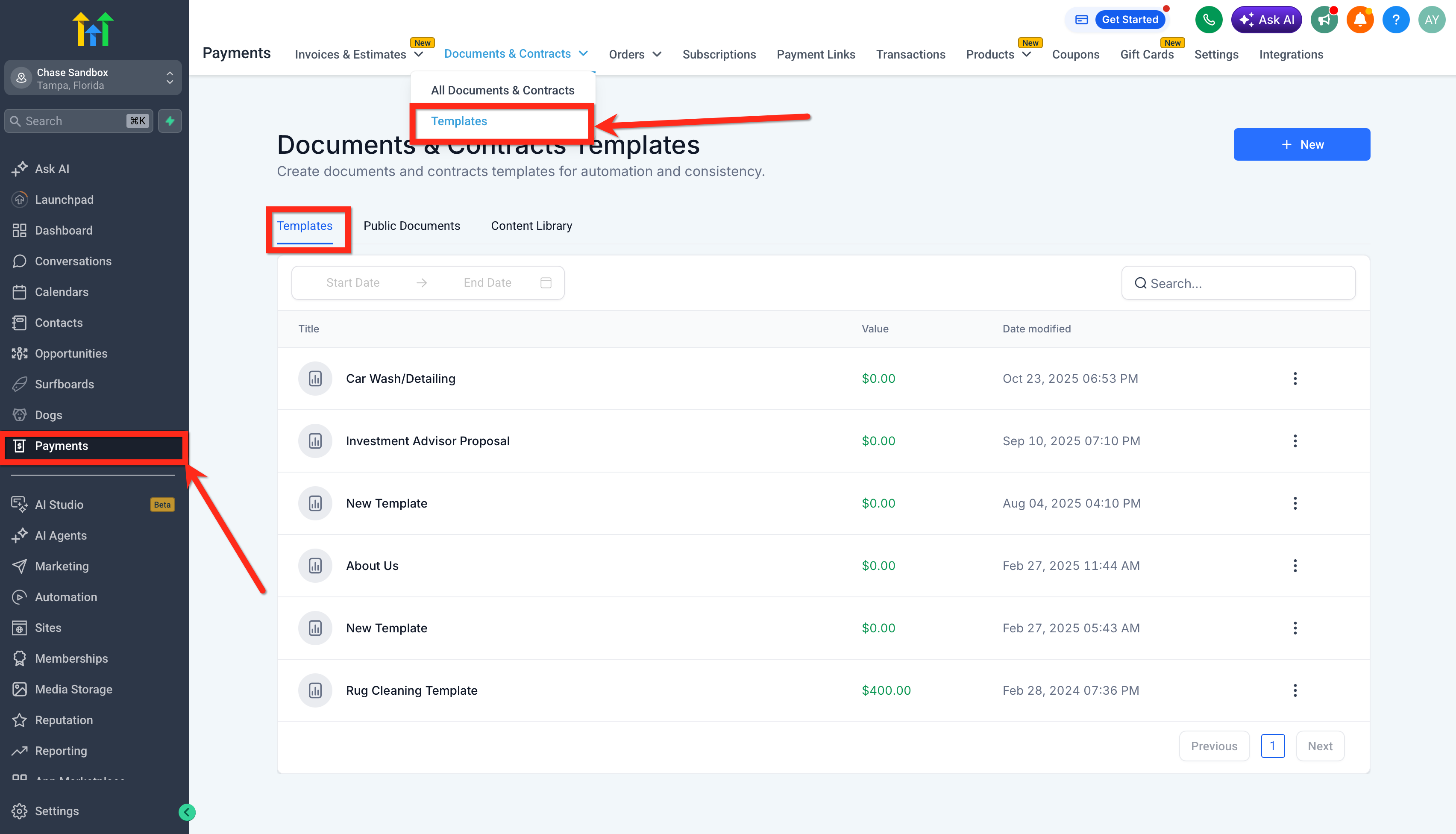
Send Template
Sending a template lets you create and send a document from a saved template in one API call. This is one of the most useful options for automating proposals, agreements, and other repeatable document types because it combines document generation and delivery into a single action.
You can use the Send Template endpoint to:
Generate a new document from a template
Send the generated document immediately
Automate repeatable contract or proposal workflows
Support personalized document delivery from external triggers or systems
This option is often best when:
You already use standardized templates in HighLevel
You need a fresh document created for each contact
Your process starts outside HighLevel but should still use HighLevel’s document infrastructure
Suggested screenshot: Template selection or template editor view in HighLevel, showing the reusable structure the API can generate from.
How To Setup Documents & Contracts Public APIs
A proper setup ensures your integration can authenticate securely, use the right HighLevel location, and call the correct API endpoints. Before building, make sure you understand whether your use case is better served by a Private Integration or a broader developer implementation supported through the HighLevel API platform.
Confirm that Documents & Contracts is part of your workflow and that the needed documents or templates already exist in the correct HighLevel location.
Review the current HighLevel API Documentation to confirm endpoint behavior, authentication requirements, and request details. HighLevel’s official API documentation is now hosted through the Developer Marketplace documentation path.
Decide on the correct authentication method for your integration. Private Integrations are intended for secure internal connections, while Marketplace-style developer flows may use OAuth-based access.
Make sure your API requests are targeting the correct HighLevel location context so that documents and templates are retrieved from the intended account area.
Test your request flow for the specific action you need:
List Documents
Send Document
List Templates
Send Template
If you want actions after a send, connect your process to workflow automations that respond to document events such as sent, viewed, signed, or completed.
Frequently Asked Questions
Q: Are Documents & Contracts Public APIs meant for developers?
Yes. The feature is designed for programmatic use, especially for teams building integrations, automations, or custom applications around HighLevel document workflows.
Q: What is the difference between Send Document and Send Template?
Send Document sends an existing document that is already in HighLevel. Send Template creates a new document from a template and sends it in the same request.
Q: Can I use these APIs instead of workflows?
Yes, when your process starts outside HighLevel or needs custom logic. Workflows are often better for no-code automation inside HighLevel, while APIs are better for developer-led integrations.
Q: Do these APIs work with templates already created in HighLevel?
Yes. The template-related endpoints are designed to retrieve templates in a location and create documents from them programmatically.
Q: Can I automate follow-ups after a document is sent?
Yes. You can pair API-based sends with Documents & Contracts workflow triggers to automate reminders, internal notifications, or downstream actions based on document status.
Q: Do I need Private Integrations to use these APIs?
Not always. Private Integrations are one option for secure internal use cases, but HighLevel also supports broader developer access patterns through its current API platform and Marketplace documentation.
Q: What does “location” mean for these endpoints?
These endpoints operate within the relevant HighLevel location context, so documents and templates returned by the API are tied to that location’s data.
Q: Can I manage every document action through these public APIs?
The feature article specifically documents listing and sending actions for documents and templates. For the most current endpoint coverage, always confirm the official API documentation.
Related Articles
Was this article helpful?
That’s Great!
Thank you for your feedback
Sorry! We couldn't be helpful
Thank you for your feedback
Feedback sent
We appreciate your effort and will try to fix the article